If you have ever wanted studio quality photos without hiring a photographer a good Gemini AI photo prompt is the fastest way to get there. Gemini can create brand new images from text or edit the photos you already have all based on the instructions you type.
With the right prompts you can:
- Create new images from scratch
- Edit and enhance existing photos
- Change backgrounds instantly
- Swap outfits and hairstyles
- Build cinematic portraits
- Make social media ready images
- Restore and colorize old photos
This guide gives you 30+ original copy and paste Gemini AI photo prompts plus a simple formula step-by-step editing tutorial and beginner tips. Let’s dive in.
What Is a Gemini AI Photo Prompt?
A Gemini AI photo prompt is a text instruction you give to Google Gemini so it can generate or edit an image for you. Think of it as describing exactly what you want to see the subject style lighting and mood in plain words.
There are two main ways to use these prompts:
- Generating a new image: You describe a scene and Gemini creates it from nothing. No photo needed.
- Editing an existing photo: You upload a picture and tell Gemini what to change while keeping the rest intact.
Short example:
Create a travel photo of a couple exploring a scenic city street, casual outfits, smiling and looking around. Bright natural light, colorful urban background, candid and joyful mood, realistic and sharp detail. 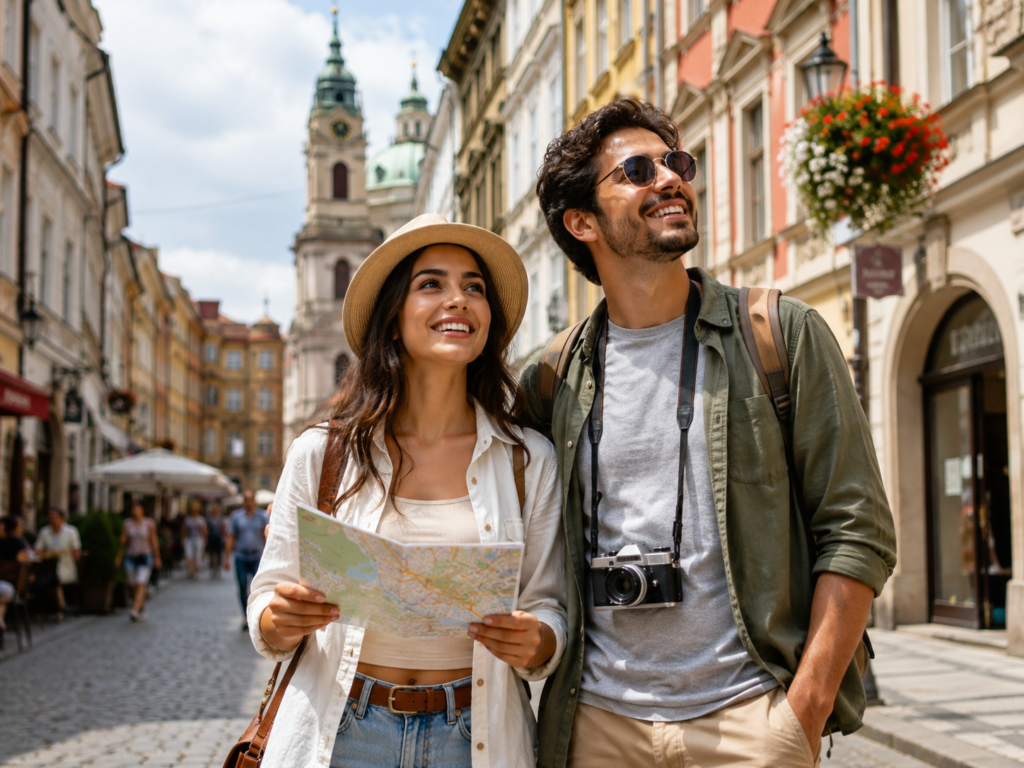
The more clearly you describe your idea the better your result.
How Do Gemini AI Photo Prompts Work?
Using Gemini for photos is simple even if you have never tried AI image tools before. Here’s the basic process:
- Open Gemini in your browser or the app.
- Upload a photo if you want to edit an existing image. Skip this step if you’re creating something new.
- Enter your prompt describing what you want.
- Generate the image and review the result.
- Refine the prompt if the output isn’t quite right add details or remove anything that confused the model.
The first result won’t always be perfect and that’s normal. Small tweaks to your wording usually make a big difference.
For official capabilities and updates check the Google Gemini documentation.
What Makes a Good Gemini AI Photo Prompt?
Strong Gemini AI image prompts share a few key ingredients. The more of these you include the more control you get:
- Subject – who or what is in the photo
- Action/pose – standing, walking, smiling, looking away
- Clothing – outfit style and color
- Background – location or setting
- Lighting – golden hour, soft studio light, neon glow
- Camera style – close up, portrait lens, wide shot
- Mood – calm, dramatic, joyful, moody
- Image quality – realistic, high detail, sharp
- Composition – centered, rule of thirds, symmetrical
- Aspect ratio – vertical for Instagram, square, landscape
- Identity preservation – critical when editing a real person’s photo
Reusable Prompt Formula
Use this simple template whenever you edit a real photo:
Edit the uploaded photo. Keep [what should remain unchanged]. Change [what should be changed]. Add [style], [lighting], [background], [camera/composition], and [mood]. Keep the result realistic and natural.Best Gemini AI Photo Prompts
Below are original, ready to copy prompts organized by category. Pick one, paste it into Gemini, and adjust the details to match your idea.
Gemini AI Prompts for Girls
Soft Glam Portrait
Great for a polished, elegant look with flattering light.
Create a soft glam portrait of a young woman with subtle makeup, glowing skin, gentle smile, wearing a pastel outfit. Soft diffused lighting, blurred neutral background, portrait lens, warm and elegant mood, realistic and high detail.Aesthetic Selfie
Perfect for a clean, modern social feed.
Create an aesthetic selfie of a girl with natural makeup, casual outfit, holding the camera at a slight angle. Soft window light, minimal cozy room background, warm tones, candid and relaxed mood, realistic quality, vertical format.Saree / Ethnic Portrait
Ideal for festive or traditional posts.
Create an elegant portrait of a woman wearing a richly detailed saree with traditional jewelry. Soft golden lighting, decorative indoor background, graceful pose, cinematic warm tones, high detail and realistic finish, vertical composition.Golden Hour Portrait
For a warm, dreamy outdoor vibe.
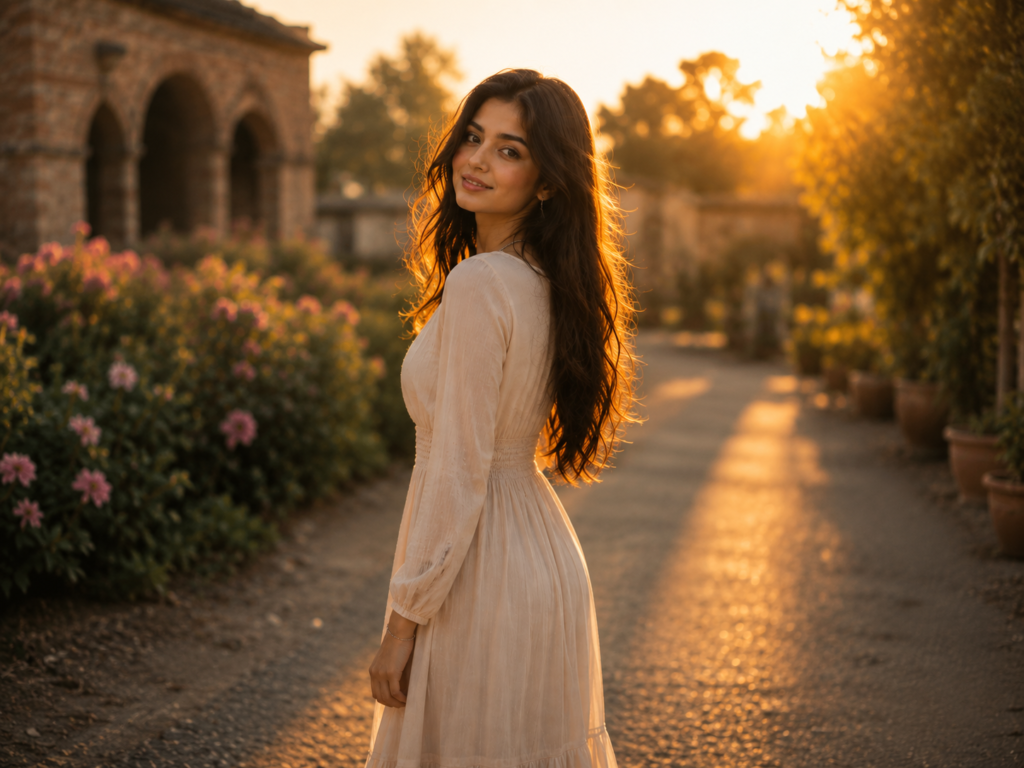
Create a golden hour portrait of a young woman standing outdoors with sunlight glowing behind her. Warm backlight, soft flare, casual summer outfit, shallow depth of field, calm and dreamy mood, realistic and detailed.Instagram Profile Picture
A clean, friendly headshot for your profile.
Create a clean Instagram profile picture of a girl smiling naturally, simple stylish outfit, soft even lighting, plain light background, centered composition, sharp and realistic, square format.Café Portrait
For a cozy, lifestyle feel.
Create a café portrait of a young woman sitting by a window with a coffee cup, wearing casual chic clothing. Soft daylight, warm cozy café background with gentle bokeh, relaxed candid mood, realistic and detailed.Gemini AI Prompts for Boys
Cinematic Street Portrait
For a bold, film like street look.
Create a cinematic street portrait of a young man in a stylish jacket, standing on a city street at dusk. Moody lighting, blurred city lights in the background, confident pose, film style color grading, realistic and high detail, vertical format.Luxury Fashion Portrait
For a high end editorial style.
Create a luxury fashion portrait of a man in a tailored suit, confident stance, premium studio setting. Dramatic directional lighting, clean dark background, sharp details, high fashion editorial mood, realistic quality.Casual Café Portrait
Relaxed and approachable.
Create a casual café portrait of a young man sitting with a coffee, wearing a simple t-shirt and jacket. Soft natural light, warm café background with bokeh, relaxed smile, candid and friendly mood, realistic and detailed.Professional Headshot
Perfect for LinkedIn or résumés.
Create a professional headshot of a man in business attire, neutral background, soft even lighting, confident and approachable expression, centered composition, sharp and realistic, suitable for a professional profile.Black and White Portrait
Timeless and dramatic.
Create a black and white portrait of a young man with strong facial features, dramatic side lighting, plain dark background, thoughtful expression, high contrast, fine detail, classic and timeless mood.Gemini AI Couple Photo Prompts
Romantic Cinematic Couple
For a movie poster feel.
Create a romantic cinematic portrait of a couple standing close together, soft warm lighting, gentle expressions. Blurred atmospheric background, film style color grading, intimate and warm mood, realistic and highly detailed.Café Date
Sweet and lifestyle focused.
Create a photo of a couple on a café date sitting across a small table with coffee cups. Soft daylight, cozy café background with bokeh, natural smiles, warm candid mood, realistic and detailed.Sunset Couple
Dreamy golden hour romance.
Create a sunset portrait of a couple holding hands on a beach with the sun low on the horizon. Warm golden backlight, soft flare, calm and romantic mood, shallow depth of field, realistic and cinematic.Wedding Style Portrait
Elegant and formal.
Create an elegant wedding style portrait of a couple in formal attire, soft romantic lighting, tasteful floral background, graceful poses, warm and joyful mood, high detail and realistic finish, vertical format.Travel Couple
Adventurous and vibrant.
Create a travel photo of a couple exploring a scenic city street, casual outfits, smiling and looking around. Bright natural light, colorful urban background, candid and joyful mood, realistic and sharp detail.Gemini AI Selfie Prompts
Mirror Selfie
Classic and trendy.
Create a mirror selfie of a person holding a phone, stylish casual outfit, clean modern room in the background. Soft natural light, relaxed pose, realistic detail, vertical format.Luxury Selfie
For an upscale, glossy look.
Create a luxury selfie of a person in an elegant outfit inside a stylish interior with premium decor. Soft flattering light, glossy high end mood, sharp details, realistic quality, vertical composition.Clean Aesthetic Selfie
Minimal and modern.
Create a clean aesthetic selfie with minimal background, neutral tones, soft even lighting, natural makeup, calm expression, sharp and realistic, vertical format.Soft Light Selfie
Flattering and gentle.
Create a soft light selfie taken near a window, warm gentle daylight on the face, cozy background with subtle blur, relaxed natural expression, realistic and detailed.Travel Selfie
Fun and location focused.
Create a travel selfie with a scenic landmark visible in the background, casual outfit, bright natural light, cheerful expression, candid mood, realistic and sharp, vertical format.Cinematic Gemini AI Photo Prompts
Movie Style Portrait
For dramatic, film like results.
Create a movie style portrait with cinematic color grading, dramatic lighting, shallow depth of field, atmospheric background, intense expression, high detail and realistic finish, widescreen composition.Neon City
Bold and futuristic.
Create a portrait of a person standing in a neon lit city street at night, colorful reflections on wet pavement, glowing signs in the background, moody cyberpunk mood, cinematic and realistic detail.Rainy Street
Moody and atmospheric.
Create a cinematic photo of a person walking on a rainy street holding an umbrella, soft reflections, muted cool tones, atmospheric fog, thoughtful mood, realistic and detailed.Golden Hour Cinematic Scene
Warm and film like.
Create a cinematic golden hour scene of a person outdoors bathed in warm sunlight, soft flare, film style color grading, calm and reflective mood, shallow depth of field, realistic quality.Moody Studio Portrait
Dark, artistic, and dramatic.
Create a moody studio portrait with dramatic single source lighting, deep shadows, dark background, intense expression, high contrast, fine detail, artistic and realistic finish.Gemini AI Photo Editing Prompts
Background Replacement
Swap any background instantly.
Edit the uploaded photo. Keep the person and their outfit exactly the same. Replace the background with a clean modern studio backdrop. Match the lighting naturally and keep the result realistic.Outfit Change
Try a new look without a photoshoot.
Edit the uploaded photo. Keep the person's face, pose, and body unchanged. Change the outfit to a tailored formal suit. Match the lighting and keep the edit realistic and natural.Hairstyle Change
Preview a fresh hairstyle.
Edit the uploaded photo. Keep the face and expression unchanged. Change the hairstyle to a modern shoulder length cut. Blend it naturally with the lighting and keep the result realistic.Lighting Improvement
Fix dull or flat photos.
Edit the uploaded photo. Keep everything unchanged but improve the lighting to soft, flattering, well balanced light. Enhance clarity without over processing. Keep the result natural and realistic.Photo Enhancement
General cleanup and sharpening.
Edit the uploaded photo. Keep the subject and composition unchanged. Enhance sharpness, colors, and overall clarity. Remove noise and keep the result clean and realistic.Professional Headshot Edit
Turn a casual photo into a headshot.
Edit the uploaded photo. Keep the person's face and identity unchanged. Convert it into a professional headshot with business attire, neutral background, and soft even lighting. Keep it realistic and natural.Old Photo Restoration Prompts
Restore Damaged Photo
Bring old memories back to life.
Edit the uploaded old photo. Repair visible damage, reduce fading, and restore lost detail while keeping the original faces and features accurate. Keep the result natural and realistic.Colorize Black and White Photo
Add lifelike color.
Edit the uploaded black and white photo. Add realistic, natural colors to skin tones, clothing, and background. Preserve the original faces and details. Keep the result authentic and realistic.Remove Scratches
Clean up surface damage.
Edit the uploaded photo. Remove scratches, spots, and creases while keeping the original faces and details intact. Keep the restoration subtle and realistic.Improve Blurry Photo
Sharpen soft or unclear images.
Edit the uploaded blurry photo. Improve sharpness and clarity while keeping the faces and features accurate. Avoid over processing and keep the result natural.Enhance Old Family Photo
Refresh a treasured memory.
Edit the uploaded old family photo. Restore detail, correct fading, and gently enhance clarity while preserving everyone's original faces and expressions. Keep the result warm and realistic.Viral / Trending Gemini AI Photo Ideas
These creative concepts work well for eye catching, shareable posts.
Double Exposure Portrait
Create a double exposure portrait blending a person's silhouette with a scenic landscape inside the outline. Artistic tones, smooth transitions, creative and realistic detail, vertical format.Miniature World Effect
Create a tilt shift style photo that makes a real city scene look like a tiny miniature model. Bright saturated colors, shallow focus, playful and creative mood, realistic detail.Vintage Film Look
Create a portrait with a vintage film look, warm faded tones, subtle grain, retro styling, nostalgic mood, realistic and detailed, vertical format.Reflection Shot
Create a creative portrait using a reflection in water or glass, symmetrical composition, soft lighting, artistic and moody feel, realistic and detailed.How to Edit Your Own Photo With Gemini AI
Editing your own photo is easier than it sounds. Follow these steps:
- Upload your photo to Gemini.
- Tell Gemini what to keep unchanged usually the face, identity, and expression.
- Explain what to modify background, outfit, lighting, or hairstyle.
- Add the style you want (cinematic, clean, natural).
- Describe the lighting and background you’d like.
Complete example:
Edit the uploaded photo. Keep my face, expression, and identity exactly the same. Change my outfit to a smart navy blazer. Replace the background with a soft blurred office setting. Add clean professional lighting and a natural, realistic finish suitable for a LinkedIn profile.If the result isn’t perfect, adjust one detail at a time and generate again.
Gemini AI Photo Prompt Formula
Use this fill in the blank structure to build any prompt quickly:
Edit/Create + Subject + Appearance + Pose + Background + Lighting + Style + Camera + Mood + Quality + Restrictions
Here’s what each part means:
- Edit/Create – Are you making a new image or editing one?
- Subject – Who or what is in the photo.
- Appearance – Clothing, hairstyle, expression.
- Pose – What the subject is doing.
- Background – The setting or location.
- Lighting – Type and direction of light.
- Style – Cinematic, clean, vintage, editorial.
- Camera – Close up, portrait, wide shot.
- Mood – The emotion or atmosphere.
- Quality – Realistic, high detail, sharp.
- Restrictions – What must stay the same (like your face).
Tips for Getting Better Results
- Use a clear source photo with good lighting when editing.
- Be specific about what you want.
- State what must NOT change, especially the face.
- Describe lighting clearly for a natural finish.
- Specify the background you want.
- Avoid conflicting instructions that confuse the model.
- Generate and refine expect a couple of tries.
- Use realistic details to keep results believable.
- Mention aspect ratio (vertical, square, landscape) when it matters.
Common Mistakes to Avoid
- Vague prompts like “make it nice” give weak results.
- Too many conflicting instructions confuse the output.
- Forgetting to preserve identity when editing a real person.
- Over editing faces, which looks unnatural.
- Not specifying a style, leaving the result generic.
- Expecting perfection in one try refining is part of the process.
Gemini AI Photo Prompts for Different Uses
Here’s a practical prompt for each popular use case.
Create a vertical aesthetic portrait with soft natural light, stylish outfit, minimal background, and warm tones, perfect for an Instagram feed. Realistic and sharp.Create a friendly, well lit portrait with a natural smile and clean background, suitable for a Facebook profile picture. Realistic and balanced.TikTok
Create a vibrant vertical portrait with bold lighting, trendy outfit, and a dynamic background, ideal for eye catching TikTok content. Realistic and detailed.Create a professional headshot in business attire, neutral background, soft even lighting, confident expression, centered composition, sharp and realistic.Dating / Profile Photos
Create a natural, approachable portrait with a genuine smile, soft daylight, and a simple pleasant background, ideal for a dating profile. Realistic and flattering.E-commerce / Product Photos
Create a clean product photo on a plain white background with soft even lighting, sharp focus, and accurate colors, suitable for an online store.Personal Portraits
Create a warm personal portrait with soft lighting, natural expression, and a cozy background, realistic and detailed.Birthday Photos
Create a cheerful birthday portrait with festive decorations, warm lighting, joyful expression, and a celebratory background. Realistic and vibrant.Travel Photos
Create a travel portrait with a scenic backdrop, bright natural light, casual outfit, and a happy candid mood. Realistic and sharp, vertical format.FAQ
What is a Gemini AI photo prompt?
It’s a text instruction you give Gemini to create a new image or edit an existing one. The prompt describes the subject, style, lighting, and mood you want.
How do I use a Gemini AI photo prompt?
Open Gemini, upload a photo if you’re editing, paste your prompt, and generate the image. Refine your wording if the first result isn’t right.
Can Gemini edit my existing photo?
Yes. Upload your photo and tell Gemini what to keep and what to change, such as the background, outfit, or lighting.
What is the best prompt for Gemini AI photos?
The best prompts are specific and include the subject, background, lighting, style, and mood. Use the formula in this guide for consistent results.
How do I make realistic photos with Gemini?
Add words like “realistic,” “natural lighting,” and “high detail,” and avoid over editing. A clear source photo also helps a lot.
Can Gemini change clothes in a photo?
Yes. Ask it to keep the face and pose unchanged while swapping the outfit, and specify the new clothing style.
Can Gemini change a photo background?
Absolutely. Tell Gemini to keep the subject the same and replace the background with your desired setting, matching the lighting naturally.
Can Gemini restore old photos?
Yes. It can repair damage, remove scratches, colorize black and white images, and enhance faded or blurry old photos.
How do I keep my face unchanged in an AI edit?
Include a clear instruction like “keep my face, expression, and identity exactly the same” in your prompt.
Why does my Gemini photo look unrealistic?
This usually happens from vague prompts, over editing, or conflicting instructions. Add realistic details and refine your prompt step by step.
Conclusion
A well written Gemini AI photo prompt gives you the power to create striking portraits, edit your photos, swap backgrounds and outfits, and even restore old memories all without special software or a professional studio.
The secret is simple: be specific, describe the details, and refine as you go. Start with one prompt from this guide, then customize the subject, lighting, and style to match your vision.
Ready to create something amazing? Pick a prompt above, paste it into Gemini, and start experimenting with your own AI photo ideas today.
FFF