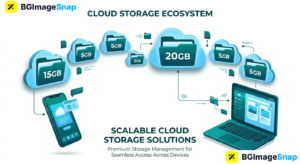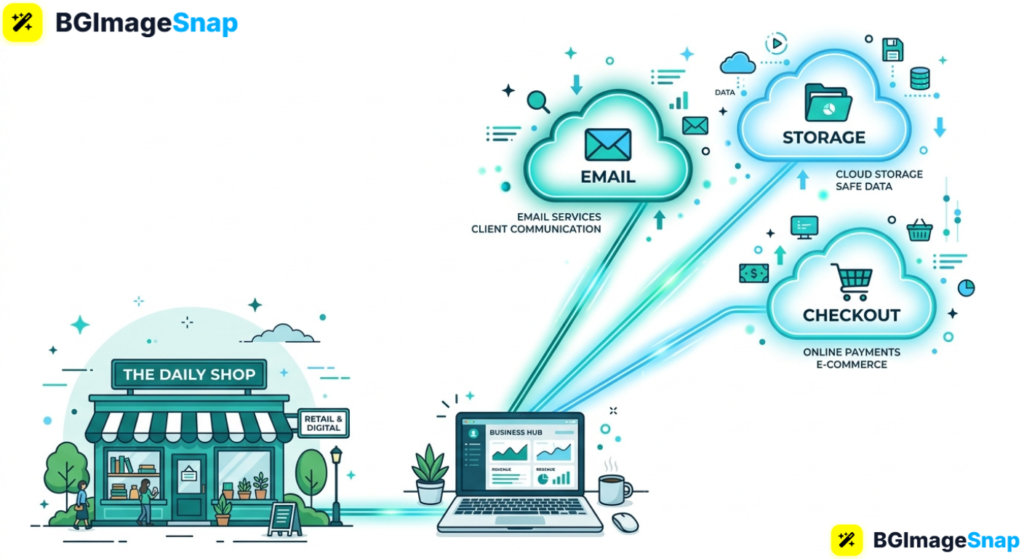
Buying servers, hiring IT staff, and backing up files on one office computer used to be the only option and one crash could stop the whole company. Cloud computing services let small businesses use email, storage, software, and websites over the internet, paying only for what they need. In this guide, you’ll learn which cloud computing services matter most, how they work, and how to start without a technical team.
Key Takeaways
- Cloud computing services deliver software, storage, and computing power over the internet instead of local hardware.
- Small businesses use them for email, file sharing, accounting, websites, backups, and online stores.
- The three main types are SaaS, IaaS, and PaaS most shops start with SaaS.
- Strong passwords, two factor login, and image optimized websites keep cloud tools fast and safer.
- Free image tools at bgimagesnap help you prepare photos before you upload them to cloud stores and sites.
What Are Cloud Computing Services and How Do They Work?
Cloud computing services are tools you access through a browser or app, while the heavy work happens on remote servers. You log in from a laptop or phone, and your files, software, and websites stay available as long as you have internet.
Instead of buying a machine that sits in a closet, you rent capacity from a provider. That provider handles updates, security patches, and extra space when you grow. If a laptop dies, the work still lives in the cloud.
Most small business cloud computing services follow a simple loop. Your device sends a request, the provider’s data center processes it, and the result comes back in seconds a saved invoice, a shared folder, or a published web page.
You usually pay a monthly fee or a usage fee. That beats a large upfront hardware bill, and it is easier to cancel or upgrade than replacing a physical server.
Good photos still matter on cloud websites and product catalogs. Cloud computing services host the files, but you should compress and crop images first so pages load quickly for customers.
Cloud Computing Services Types Features and What Small Businesses Need
Here is a practical breakdown of cloud computing services you are likely to use, without the jargon overload.
The three main service types
- SaaS (Software as a Service) ready apps like email, accounting, CRM, and design tools
- IaaS (Infrastructure as a Service) virtual servers, storage, and networking if you need more control
- PaaS (Platform as a Service) tools for building custom apps without managing every server
Everyday tools small businesses actually buy
- Cloud storage and backup Google Drive, OneDrive, Dropbox style folders and automatic backups
- Email and collaboration shared inboxes, calendars, video calls, and chat
- Accounting and invoicing books, payroll, and tax ready reports in the browser
- CRM and sales customer lists, follow ups, and pipelines
- E-commerce and websites online stores, booking pages, and hosting
- Security add ons two factor authentication, spam filters, and device management
Features to look for
- Pay as you go pricing start small, add users later
- Automatic updates no weekend install marathons
- Access from any device office, home, or job site
- Permission controls staff see only what they need
- Version history restore a file someone overwrote
- Uptime and support clear SLAs and a way to get help
- Data export leave with your files if you switch providers
Costs and limits to expect
- Per user monthly fees for email and office apps
- Extra charges for more storage, extra mailboxes, or premium support
- Bandwidth or transaction fees on some stores
- Free tiers that add the provider’s branding or cap features
- Image heavy sites that feel slow if photos are huge
Image and media notes for cloud sites
- Upload JPG, PNG, or WebP after resizing
- Keep product photos under a few hundred kilobytes when possible
- Use transparent PNGs for logos
- Host files in the cloud, but optimize them first at bgimagesnap
Most small teams should start with SaaS cloud computing services. You get email, files, and accounting working this week, and you can add servers later if you truly need them.
How to Start Using Cloud Computing Services Step by Step
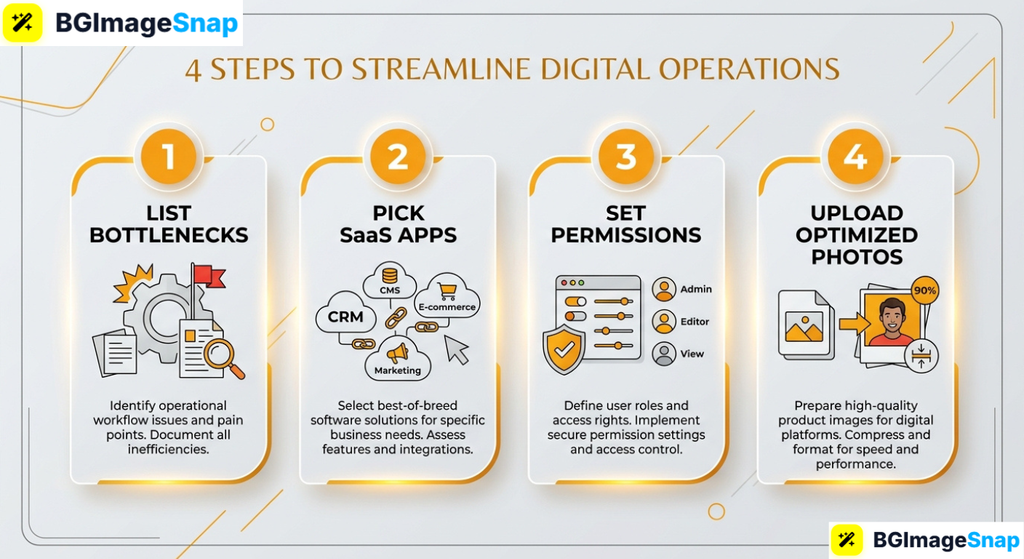
You do not need a full IT department. Follow these five steps:
- List your biggest bottlenecks. Write down where work breaks: lost files, messy invoices, no backups, or a website that only one person can update.
- Pick one core stack. Choose cloud email plus storage first, then accounting. Keep the list short so staff actually log in and use it.
- Set owners and permissions. Decide who is admin, who can pay bills, and who can only view files. Turn on two factor authentication on day one.
- Move files in a clean order. Create folders by year, client, or product. Compress photos and scans before uploading so cloud storage stays fast and cheap.
- Train, backup, and review monthly. Show staff how to share links instead of emailing copies. Confirm backups exist, then cancel leftover desktop software you no longer need.
After 30 days, check login activity and costs. Good cloud computing services should save time, not add another forgotten subscription.
Who Uses Cloud Computing Services? Real Use Cases
These examples show how small teams put cloud computing services to work.
Local shops and restaurants. A café uses cloud POS, shared Google Drive menus, and online ordering. If the counter tablet fails, sales still sync from the cloud, and the owner can check reports from home.
Online sellers. Etsy and Shopify sellers store product photos, invoices, and customer messages in the cloud so packing can happen from any room. Optimized images keep the store fast on phones.
Freelancers and agencies. Designers and bookkeepers share client folders, contracts, and drafts without USB sticks. Version history saves a project when someone overwrites a file.
Students running side hustles. A student tutoring business can run scheduling, Zoom, and invoicing entirely on cloud apps, then publish a simple site without buying a server.
Tips for Getting More from Cloud Computing Services
- Use one password manager. Unique passwords plus two factor login beat sticky notes on a monitor.
- Do not put everything in one mega folder. Clear names beat “final_final2” chaos when you search months later.
- Optimize images before upload. Huge photos waste storage and slow your cloud website. Resize first.
- Turn on automatic backups. Cloud apps still need a second copy for ransomware or accidental deletion.
- Review users when staff leave. Remove access the same day so old phones cannot open the books.
- Watch the bill. Unused extra mailboxes and forgotten AI add ons add up.
- Keep a simple disaster plan. Write how to reset the admin account if the owner’s phone is lost.
Frequently Asked Questions
Are cloud computing services safe for small businesses?
They can be, if you use strong logins, two factor authentication, and reputable providers. Most breaches start with stolen passwords, not Hollywood style hacks.
How much do cloud computing services cost?
Many tools start at a few dollars per user per month. Storage, extra features, and ecommerce checkout can raise the bill, so begin with a small plan.
Do I still need an office server?
Usually no. Email, files, and accounting run well in the cloud. Keep local hardware only if you have special software that cannot move yet.
What happens if the internet goes down?
Work pauses until you reconnect, unless the app has offline mode. A phone hotspot is a cheap backup for a short outage.
Can I switch providers later?
Yes, if you pick tools that export your data. Ask about export before you migrate years of invoices and photos.
Conclusion
Cloud computing services give small businesses professional email, storage, software, and websites without a huge hardware bill. Start with the apps you will use every day, lock down logins, and keep files tidy. When you upload product shots or banners to those cloud tools, visit bgimagesnap to crop compress, and remove backgrounds with free browser based editors.