
Introduction
Getting a baby passport photo right sounds simple until you’re standing in a pharmacy line with a squirming infant who refuses to keep their eyes open. Unlike adult passport photos a baby passport photo has to meet the exact same strict government standards correct size plain background neutral expression no other people in frame but babies can’t sit still hold a pose or follow instructions.
This guide walks you through what a compliant baby passport photo actually requires the most common reasons these photos get rejected and how to take one at home without a professional photographer. You’ll also learn how a free online tool can fix background and sizing issues in seconds if your first attempt isn’t quite passport ready.
Quick Answer / Key Takeaways
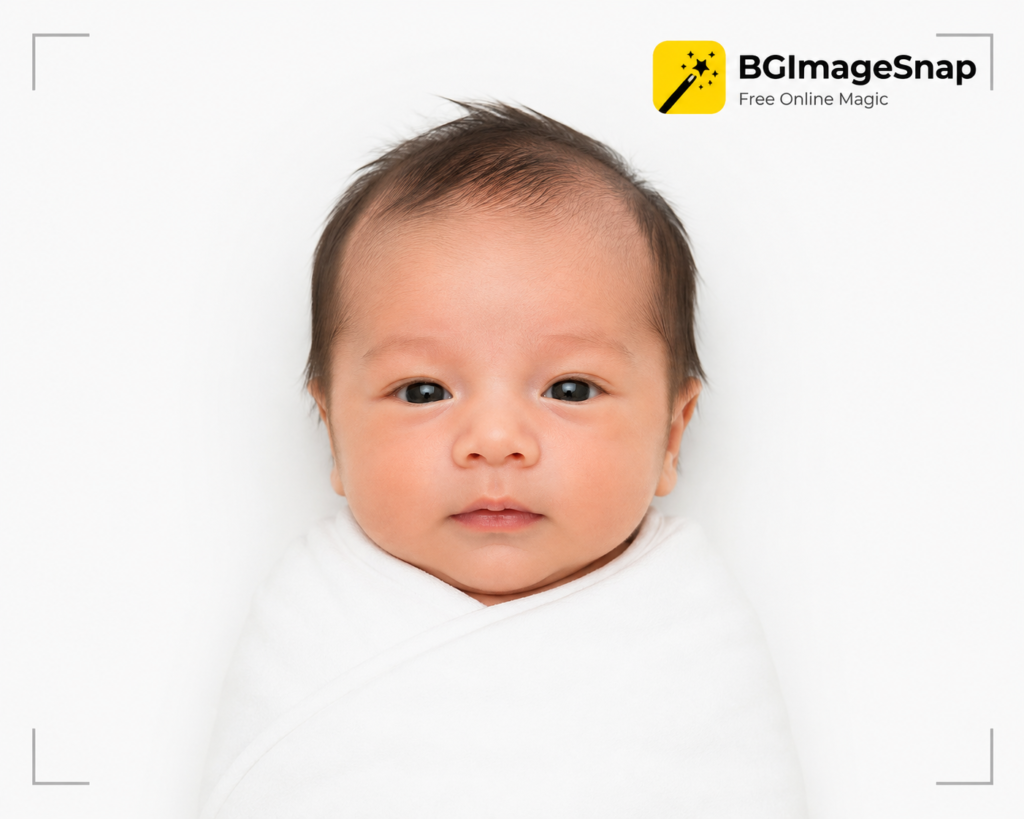
- A baby passport photo must show the infant alone eyes open facing forward against a plain white or off white background.
- No one may hold or support the baby in a way that’s visible in the frame.
- For the US the required size is 2×2 inches with the head measuring 1 to 1⅜ inches from chin to crown.
- Newborns are exempt from the “eyes open” rule in the US, UK, and Canada, but the photo must still be taken lying down or in a car seat with a plain background behind the baby.
- A photo taken at home with a phone camera is acceptable as long as it meets size lighting and background rules a free photo editing tool can correct backgrounds and cropping afterward.
What Makes a Baby Passport Photo Valid
Every passport issuing authority applies the same core rules to a baby passport photo as it does to an adult one with a few practical adjustments for infants.
A valid baby passport photo generally needs:
- A plain white or off white background with no patterns, shadows, or textures
- The baby’s face centered and facing the camera not tilted or turned
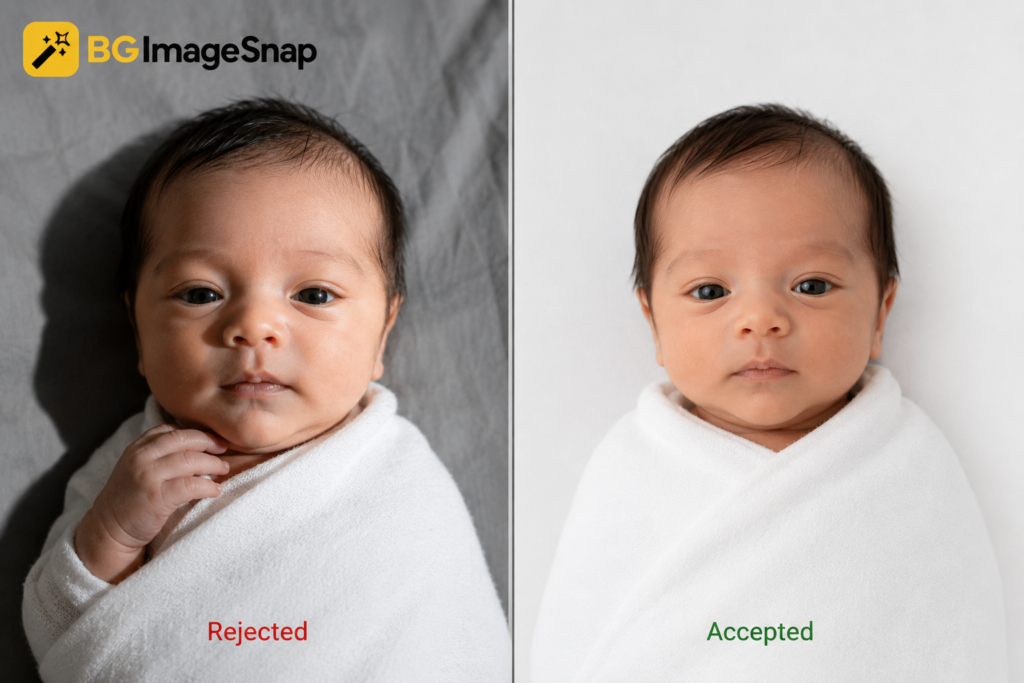
- No other person, hand or object visible in the frame including a parent’s fingers holding the chin
- Neutral or naturally relaxed expression smiling isn’t required for infants
- No pacifiers, toys, hats, or blankets covering the baby’s face or head
- Even natural lighting with no glare, shadows or red eye
Because babies can’t be posed the way adults can most passport agencies allow the photo to be taken while the baby is lying down in a car seat or in a bassinet as long as the background behind them appears plain and unbroken.
Baby Passport Photo Requirements by Country
| Country | Photo Size | Background | Eyes Open Rule for Newborns |
|---|---|---|---|
| USA | 2 x 2 inches | Plain white/off white | Exempt |
| UK | 45mm x 35mm | Plain cream or light grey | Exempt |
| Canada | 50mm x 70mm | Plain white | Exempt |
These are the baseline dimensions most applicants need but always confirm current requirements on your country’s official passport or visa agency website before submitting since specifications are updated periodically.
How to Take a Baby Passport Photo at Home (Step-by-Step)
You don’t need a studio to get a compliant baby passport photo. A phone camera natural light and a plain sheet are usually enough.
- Lay a plain white sheet or blanket on a flat surface such as a bed changing table or the floor making sure it’s wrinkle free and extends beyond the camera frame.
- Position the baby on their back directly on the white sheet with their head centered in the space where the photo will be cropped.
- Use natural indirect daylight a window with soft light works best. Avoid direct sun or flash which creates harsh shadows.
- Shoot from directly above holding the phone parallel to the baby so their face isn’t distorted by angle.
- Wait for a calm alert moment when the baby’s eyes are open (if age appropriate) and their face is relaxed.
- Take several shots in quick succession to increase your chances of one clean frame.
- Crop and check proportions so the head size matches your country’s required measurements before printing or uploading.
If a parent’s hand is visible supporting the baby’s head in any shot that photo will need to be cropped tightly or retaken since visible hands are one of the most common reasons a baby passport photo gets rejected.
Common Mistakes That Get Baby Passport Photos Rejected
- Visible hands or fingers propping up the baby’s head or chin
- Wrinkled or patterned fabric behind the baby instead of a smooth plain surface
- Shadows across the face from harsh overhead lighting or flash
- Head tilted at an angle rather than facing straight at the camera
- Photo taken too close cutting off part of the head, or too far leaving too much empty space
- Low resolution or blurry images from moving too quickly while shooting
- Incorrect print size or digital dimensions that don’t match the passport office’s exact specifications
- Most rejections come down to background and framing issues rather than the baby’s expression which is why reviewing the photo carefully or running it through a background and sizing tool before submission saves a second trip.
Newborn vs. Older Baby: What Changes
A newborn baby passport photo has more flexibility than one for an older infant. Newborns and very young babies are typically allowed to have their eyes closed since keeping a two week old awake and alert on command isn’t realistic. However the same background framing and no other person rules still apply.Once a baby is a few months old and can hold their head up agencies generally expect eyes open and a forward facing pose closer to what’s required for older children and adults. A baby passport photo for a toddler who can sit independently should follow the same standard as an adult photo as closely as possible.
Fixing Your Photo Digitally
Even a well composed baby passport photo taken at home can have an uneven background a slightly off crop or shadows that need correcting. Rather than retaking the entire shoot a background removal and passport photo sizing tool can adjust the image to meet official dimensions and produce a clean uniform white background without professional editing software. This step is especially useful for a baby passport photo since it’s harder to control the background perfectly with a moving infant than with a cooperative adult subject.
FAQs
Does a baby passport photo need the eyes open?
In the US, UK, and Canada, babies under one year old are typically exempt from the eyes open requirement though the photo should still show the face clearly and without obstruction.
Can I hold my baby while taking the passport photo?
You can support your baby just outside the frame but no part of your hand, arm or body should be visible in the final cropped photo.
What background do I need for a baby passport photo?
A plain white or off white background with no shadows, patterns or textures is required by most passport issuing authorities.
Can I use a photo taken on my phone?
Yes, as long as the resolution is high enough and the photo meets the size, background and lighting requirements for your country.
Why do baby passport photos get rejected most often?
Visible hands wrinkled backgrounds, shadows, and incorrect sizing are the leading causes of rejection.
How soon after birth can I get a passport photo taken?
There’s no minimum age a baby passport photo can be taken shortly after birth as long as the requirements for background, framing, and (where applicable) eyes open are met.
Conclusion
A baby passport photo doesn’t require a professional studio but it does require attention to the same details every passport photo needs: a plain background correct framing no visible hands and accurate sizing. Taking the photo at home with natural light and a plain sheet works well for most parents and any background or cropping issues can be corrected afterward without retaking the shoot.
You may also like:
How to Remove Color From Image


[…] Baby Passport Photo […]