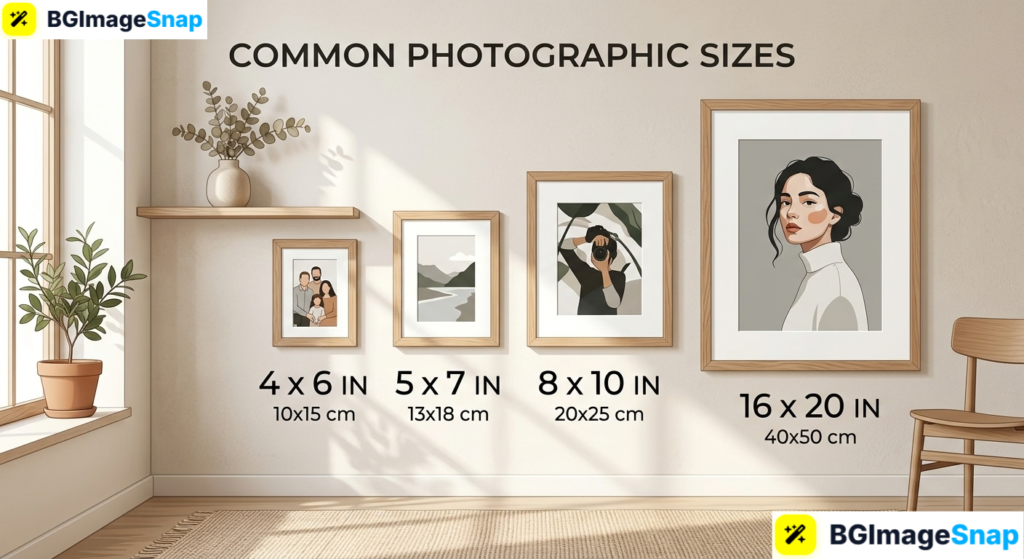
Printing your favorite digital pictures often leads to frustrating surprises like awkward cropping, blurry details, or mismatching picture frames. Understanding standard photographic sizes ensures your digital files translate into stunning, razor sharp physical prints every single time. With free, browser based photo editing tools like Bgimagesnap, resizing and cropping your images to fit any frame takes only seconds.
Key Takeaways
- Standard photographic sizes are based on traditional paper dimensions and specific camera sensor aspect ratios.
- The most popular print size in the world is 4×6 inches, which matches standard 3:2 camera proportions.
- High quality physical printing requires an image resolution of 300 DPI (dots per inch) to prevent blurriness.
- Digital displays measure pictures in pixels, while print shops and frame manufacturers measure in physical inches or centimeters.
- Bgimagesnap allows you to crop, adjust aspect ratios, and resize images to standard dimensions online for free.
What They Are and How Photographic Sizes Work
Photographic sizes refer to the standard physical dimensions used by print labs, frame makers, and photo albums worldwide. When digital cameras and smartphones capture an image, they do not record measurements in inches or millimeters. Instead, they record a grid of digital pixels across an electronic sensor.
To turn those digital pixels into a physical picture, you must determine how densely those pixels will be printed on paper. This density is measured in DPI (dots per inch) or PPI (pixels per inch). For gallery quality prints, commercial print labs print at 300 DPI, meaning every linear inch of paper contains 300 individual dots of ink.
When you select from common photographic sizes, you are matching your image’s pixel dimensions to an exact physical paper size. If the aspect ratio of your digital camera file does not match the physical frame, your photo must be cropped or surrounded by white borders. For instance, smartphone photos shot in a 4:3 ratio require cropping to fit a traditional 4×6 inch photo frame.
An online image resizer simplifies this process by allowing you to preview and adjust your framing before printing. Instead of letting an automated print machine slice off heads or landmarks, you can set the exact crop yourself. Using modern web tools ensures your pictures look balanced, clear, and perfectly centered inside any frame.
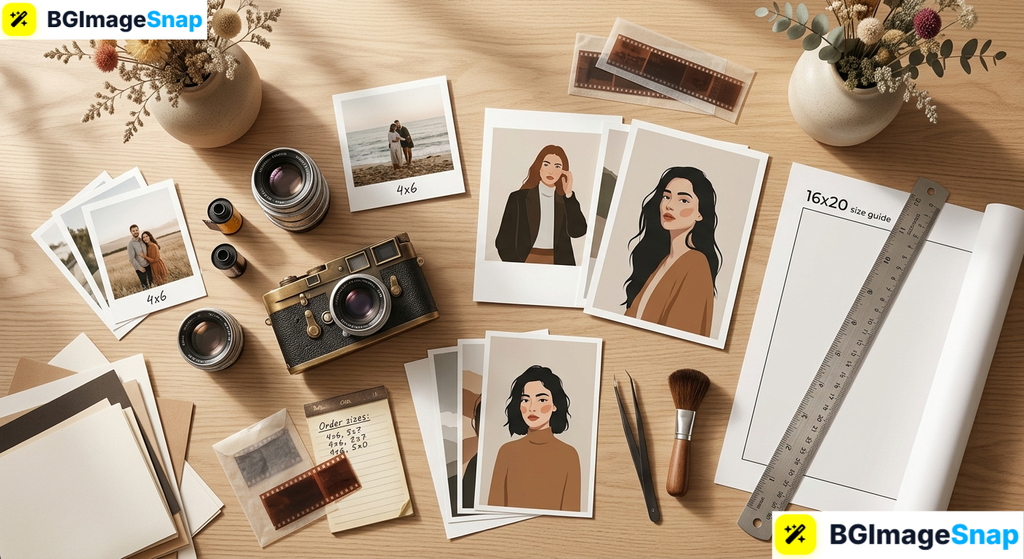
Complete Breakdown of Common Photographic Sizes and Dimensions
To help you choose the best dimensions for your personal or commercial projects, we have organized standard photographic sizes into clear, practical categories below.
1. Small and Wallet Photographic Sizes
Small prints are designed for personal keepsakes, pocket frames, identity documents, and scrapbooks:
- 2 × 2 inches (5.1 × 5.1 cm): The universal standard for passport photos, visa applications, and official government identification. Requires 600×600 pixels at 300 DPI.
- 2.5 × 3.5 inches (6.4 × 8.9 cm): Known as the classic wallet size. These prints slide easily into credit card slots inside wallets or mini albums. Requires 750×1050 pixels at 300 DPI.
- 3.5 × 5 inches (8.9 × 12.7 cm): A vintage print format popular for retro family albums and tabletop postcard displays. Requires 1050×1500 pixels at 300 DPI.
2. Standard Tabletop and Album Photographic Sizes
These are the most common photographic sizes ordered by consumers for family portraits, vacations, and tabletop picture frames:
- 4 × 6 inches (10.2 × 15.2 cm): The undisputed global standard for everyday prints. It features a native 3:2 aspect ratio, which perfectly mirrors full frame DSLR camera sensors without any cropping. Requires 1200×1800 pixels at 300 DPI.
- 5 × 7 inches (12.7 × 17.8 cm): The preferred option for greeting cards, wedding invitations, school portraits, and mantle displays. Requires 1500×2100 pixels at 300 DPI.
- 8 × 10 inches (20.3 × 25.4 cm): The gold standard for formal portraits, graduation photos, sports team captures, and wedding albums. Requires 2400×3000 pixels at 300 DPI.
3. Large Wall Display and Poster Photographic Sizes
Large format photographic sizes turn family snapshots and fine art landscapes into striking wall decor:
- 11 × 14 inches (27.9 × 35.6 cm): A popular intermediate size often displayed above desks, in hallways, or as part of a gallery wall with wide matting. Requires 3300×4200 pixels at 300 DPI.
- 12 × 18 inches (30.5 × 45.7 cm): Ideal for fine art photography and architectural shots because it retains the native 3:2 camera aspect ratio without cropping. Requires 3600×5400 pixels at 300 DPI.
- 16 × 20 inches (40.6 × 50.8 cm): A classic gallery size used for centerpiece living room portraits and commercial showroom art. Requires 4800×6000 pixels at 300 DPI.
- 20 × 30 inches (50.8 × 76.2 cm): A dramatic landscape format popular for travel photography and nature prints. Requires 6000×9000 pixels at 300 DPI.
- 24 × 36 inches (61.0 × 91.4 cm): Standard commercial poster size used for theatrical posters, retail displays, and panoramic fine art. Requires 7200×10800 pixels at 300 DPI.
Reference Table Photographic Sizes Pixels and Ratios
The table below provides a quick reference for standard photographic sizes with their pixel dimensions and aspect ratios at 300 DPI:
| Print Size (Inches) | Print Size (cm) | Aspect Ratio | Pixels at 300 DPI | Recommended Use |
|---|---|---|---|---|
| 2 × 2 in | 5.1 × 5.1 cm | 1:1 (Square) | 600 × 600 px | Passport, Visa, ID badges |
| 2.5 × 3.5 in | 6.4 × 8.9 cm | 5:7 | 750 × 1050 px | Wallet keepsakes, trading cards |
| 4 × 6 in | 10.2 × 15.2 cm | 3:2 | 1200 × 1800 px | Standard albums, holiday prints |
| 5 × 7 in | 12.7 × 17.8 cm | 5:7 | 1500 × 2100 px | Framed portraits, event cards |
| 8 × 8 in | 20.3 × 20.3 cm | 1:1 (Square) | 2400 × 2400 px | Modern gallery walls, Instagram prints |
| 8 × 10 in | 20.3 × 25.4 cm | 4:5 | 2400 × 3000 px | Family portraits, framed gifts |
| 11 × 14 in | 27.9 × 35.6 cm | 11:14 | 3300 × 4200 px | Wall displays, fine art prints |
| 12 × 18 in | 30.5 × 45.7 cm | 3:2 | 3600 × 5400 px | Wide landscape wall art |
| 16 × 20 in | 40.6 × 50.8 cm | 4:5 | 4800 × 6000 px | Statement frames, wedding centerpieces |
| 20 × 30 in | 50.8 × 76.2 cm | 3:2 | 6000 × 9000 px | Large panoramic displays |
| 24 × 36 in | 61.0 × 91.4 cm | 3:2 | 7200 × 10800 px | Commercial posters, retail signage |
How to Prepare and Resize Images for Photographic Sizes
Preparing your digital photos for physical printing does not require expensive editing software. Follow these easy steps using the online tools on Bgimagesnap:
Step 1: Open the Online Image Tool
Open your web browser and go to Bgimagesnap. Select the image resizer or cropping tool to get started without needing to install any software or register an account.
Step 2: Upload Your Photo
Click the upload button or drag your image directly into the workspace. The tool accepts JPG, PNG, WebP, HEIC, and BMP files.
Step 3: Select Your Target Aspect Ratio or Dimensions
Choose your desired print ratio from the presets (such as 3:2 for a 4×6 print or 4:5 for an 8×10 frame). If you know your target pixel requirements from the table above, enter them directly with the aspect ratio lock enabled.
Step 4: Adjust the Crop and Framing
Move the crop boundary to position your subject in the center. Make sure you keep important elements like faces, hands, and horizons away from the outer edges so nothing gets cut off by physical picture frames.
Step 5: Download Your Print Ready File
Click the “Download” button to save your formatted image to your computer or phone. Your photo is now ready to upload to any local print shop or commercial printing service.
Real Use Cases Who Relies on Standard Photographic Sizes?
Knowing how to work with standard photographic sizes is valuable across many creative and professional fields. Here are a few examples:
1. Home Decorators and DIY Framers
When decorating a home, buying ready made frames from retail stores is much more affordable than ordering custom frames. Store bought frames are built to standard photographic sizes like 5×7, 8×10, and 16×20 inches. By resizing and cropping photos to match these exact dimensions, decorators can build cohesive gallery walls without paying custom framing fees.
2. Professional Photographers and Portrait Studios
Wedding, newborn, and event photographers deliver finished print packages to clients regularly. If a photographer delivers digital files without considering standard dimensions, clients may crop the photos awkwardly when printing at home. Preparing images in standard photographic sizes ensures that clients receive prints that look professional and well composed.
3. E-Commerce Sellers and Print on Demand Artists
Artists selling digital download prints on platforms like Etsy provide files in multiple photographic sizes. A single piece of artwork is typically packaged in 2:3, 3:4, and 4:5 ratios so customers can print the art in any frame size they choose. Providing these standard dimensions helps online sellers increase customer satisfaction and avoid refund requests.
4. Students and Scrapbook Enthusiasts
Students building physical portfolio boards or working on family history scrapbooks rely on smaller photographic sizes like 2.5×3.5 or 4×6 inches. Resizing multiple photos to compact, consistent dimensions allows students to arrange visual timelines and creative collages neatly on poster boards.
Practical Tips for Managing Photographic Sizes
Keep these practical tips in mind to get the sharpest and most accurate results when printing your photos:
- Always verify the resolution at 300 DPI. An 8×10 inch print needs at least 2400×3000 pixels to look crisp. If your pixel count is too low, the physical print will turn out fuzzy and pixelated.
- Be mindful of frame overlap. Standard picture frames cover about 0.25 inches (6 mm) of your image along all outer edges. Keep important subjects and signatures away from the outer border.
- Account for the aspect ratio shift. Remember that moving from a 4×6 print (3:2 ratio) to an 8×10 frame (4:5 ratio) trims off parts of the longer side. Always check your crop manually before printing.
- Use sRGB color profiles for online print labs. Most commercial photo printing labs use the sRGB color space. Saving your images in sRGB ensures that the printed colors match what you see on your computer screen.
- Keep unedited original files safe. Never overwrite your original high resolution camera file. Always save your resized photographic sizes as separate new files.
- Test print small sizes first. If you plan to order an expensive large format print like 24×36 inches, order a small 4×6 print first to check color accuracy and contrast in person.
FAQs
What is the most common photographic size for everyday pictures?
The most common size worldwide is 4 × 6 inches (10.2 × 15.2 cm). This size is popular because it matches the 3:2 aspect ratio of DSLR camera sensors, so the entire photo prints without any edge cropping.
Why do smartphone photos get cropped when printed as 4×6 photos?
Smartphones capture pictures in a 4:3 aspect ratio by default, whereas standard 4×6 photo paper uses a 3:2 ratio. Because the shapes do not match, the printer must trim off a small portion of the top and bottom of your photo to fill the paper.
What resolution do I need for standard photographic sizes?
For clean, professional quality, print at 300 DPI. To calculate required pixels, multiply the print dimensions in inches by 300. For example, a 5×7 inch print requires 1500×2100 pixels (5×300 by 7×300).
What is the difference between photo aspect ratio and photo size?
Aspect ratio describes the proportional relationship between width and height (such as 3:2 or 4:3), which determines the overall shape of the image. Photo size refers to the specific physical measurements (such as 4×6 inches or 8×10 inches) or digital pixel counts.
Can I enlarge a small photo to fit large photographic sizes?
Enlarging a low resolution file beyond its original pixel dimensions often causes noticeable blur and pixelation. It is always best to start with a large, high resolution original and downsample it to your target print size.
Conclusion
Understanding photographic sizes takes the guesswork out of ordering prints, framing artwork, and creating digital photo gifts. By matching your digital pixel dimensions to standard print dimensions at 300 DPI, you can preserve every memory with sharp detail and balanced compositions. Ready to prepare your images for printing? Visit bgimagesnap today to use our free online image resizer, cropping tools, and background editors to format your photos in seconds!