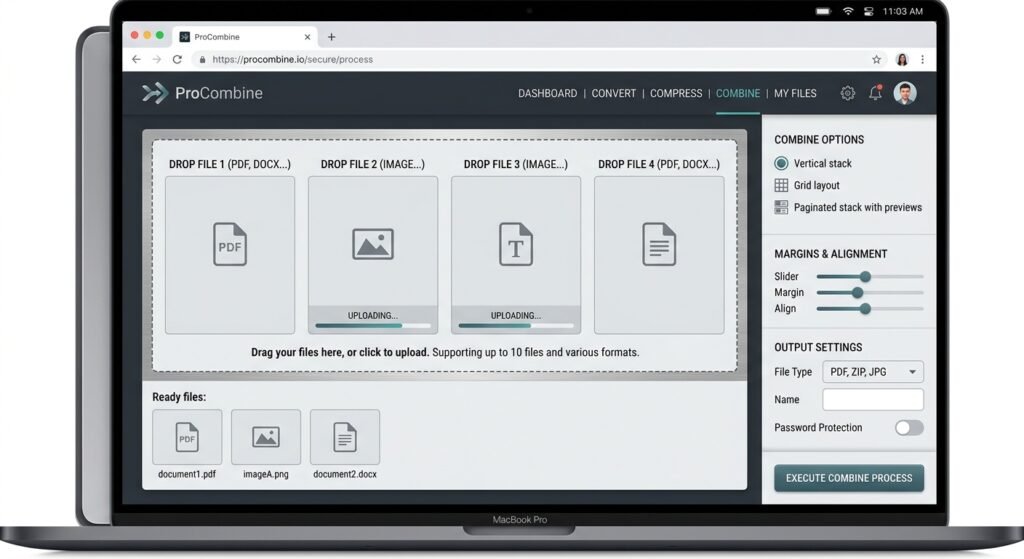
Combiner tools let you merge multiple files into one clean document or image without losing quality or formatting. Whether you need to combine PDFs, photos, or spreadsheets these tools save time and keep your work organized.
This guide explains how combiner tools work the best methods for different file types and practical tips for beginners who want fast reliable results.
Table of Contents
- What Is a Combiner Tool
- How to Use a Combiner for PDF Files
- How to Use a Combiner for Images and Photos
- How to Use a Combiner for Audio and Video
- Best Free Combiner Tools in 2025
- Common Mistakes When Using a Combiner
- What to Do After Combining Files
- FAQs
- Conclusion
What Is a Combiner Tool
A combiner is software or an online service that joins separate files into a single output. People use combiner tools to:
- Merge several PDFs into one report
- Combine product photos into a single image sheet
- Join audio tracks for podcasts
- Create one video from multiple clips
Most combiner tools work in your browser or as a desktop app so no advanced skills are required. The key is choosing the right tool for your file type and output needs.
How to Use a Combiner for PDF Files
PDF combiner tools are the most popular type. Here is the typical process:
- Open your chosen combiner website or app.
- Drag and drop the PDF files into the upload area.
- Arrange the pages in the correct order.
- Click the merge or combine button.
- Download the final PDF.
Popular options include Adobe Acrobat online Smallpdf and ILovePDF. These services handle large files and preserve original formatting.
Tip: Always check the file size limit before uploading. Some free combiner tools compress files automatically which can reduce image quality.
How to Use a Combiner for Images and Photos
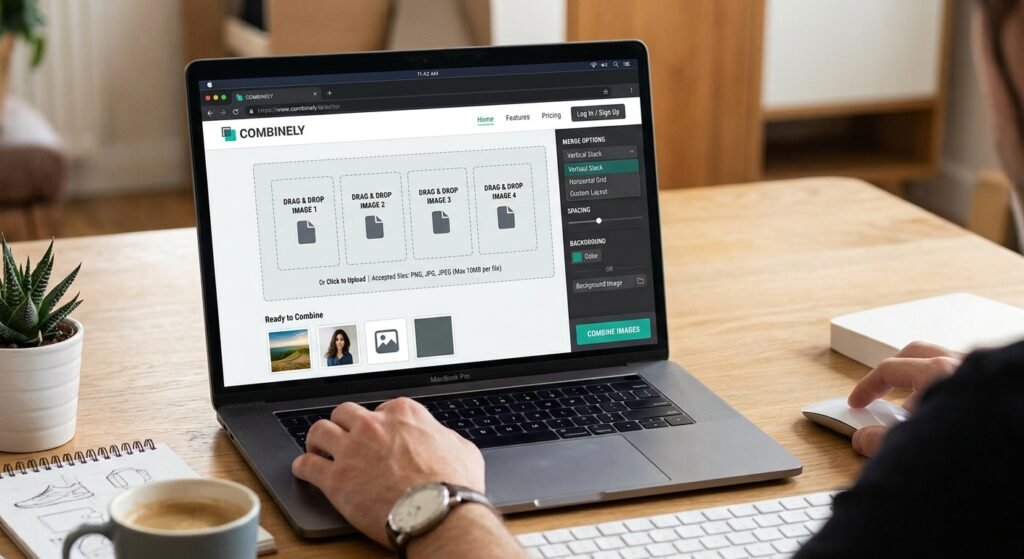
When you need to combine product photos or design assets an image combiner is useful. This is common in e-commerce when creating image sheets or mood boards.
Steps:
- Prepare your images (crop, resize, or remove backgrounds first if needed).
- Upload them to an image combiner such as Canva PhotoJoiner or PineTools.
- Choose layout options like grid or vertical stack.
- Adjust spacing and alignment.
- Export the combined image.
How to Use a Combiner for Audio and Video
Audio and video combiner tools follow a similar pattern but often require more processing power.
Basic workflow:
- Select your clips or tracks.
- Upload them in the desired playback order.
- Add transitions or crossfades if the tool supports them.
- Preview the result.
- Export in your target format (MP3, MP4, etc.).
Free options include Clideo, Kapwing, and the built in features in DaVinci Resolve or Audacity.
Common mistake: Forgetting to match audio levels between clips which creates noticeable volume jumps in the final file.
Best Free Combiner Tools in 2027
| Tool | Best For | File Types | Notes |
|---|---|---|---|
| Smallpdf | PDFs | Browser based, easy for beginners | |
| ILovePDF | PDFs | Strong mobile support | |
| Canva | Images & PDFs | Images, PDF | Good design options |
| Clideo | Video & Audio | MP4, MP3 | Simple interface |
| PineTools | Images | Images | No sign up required |
Choose based on your main file type. Always test with a small batch first.
Common Mistakes When Using a Combiner
- Uploading files in the wrong order
- Ignoring file size limits which causes failed uploads
- Using low resolution source files that look blurry after combining
- Forgetting to remove passwords from PDFs before merging
- Not checking the final file on different devices
Double check order and preview the result before downloading.
What to Do After Combining Files
After using a combiner to merge product images you may still need to edit the final file. Common next steps include background removal resizing for e-commerce platforms or creating white backgrounds for consistent listings.
You may also find these related guides helpful:
- BGImageSnap article on creating white backgrounds for product photos.
- BGImageSnap article on resizing images for e-commerce.
FAQs
What is a combiner tool used for?
A combiner merges multiple files into one document image or media file while keeping the original content intact.
Can I use a combiner on my phone?
Yes. Most online combiner tools work in mobile browsers and dedicated apps are available for both Android and iOS.
Do combiner tools reduce file quality?
Some free tools compress files to save space. Choose higher quality settings or paid plans when image or video clarity matters.
Is it safe to upload files to an online combiner?
Only use trusted sites for non sensitive files. For confidential documents download a desktop combiner instead.
Can a combiner handle password protected PDFs?
Most tools require you to remove the password first. Unlock the file before uploading it to the combiner.
How many files can I combine at once?
Limits vary by tool. Free versions often allow 10–20 files while paid plans support larger batches.
What file formats work with a combiner?
Common formats include PDF, JPG, PNG, MP3, and MP4. Always check the tool’s supported formats before starting.
Are there completely free combiner tools with no limits?
Some open source desktop programs like PDFsam offer unlimited use though they require installation.
Conclusion
A good combiner makes merging files simple and efficient. Whether you work with PDFs, photos, or media, the right tool and a clear workflow will give you professional results quickly. After combining images clean them further with BGImageSnap or explore our other helpful articles for image-editing tips.