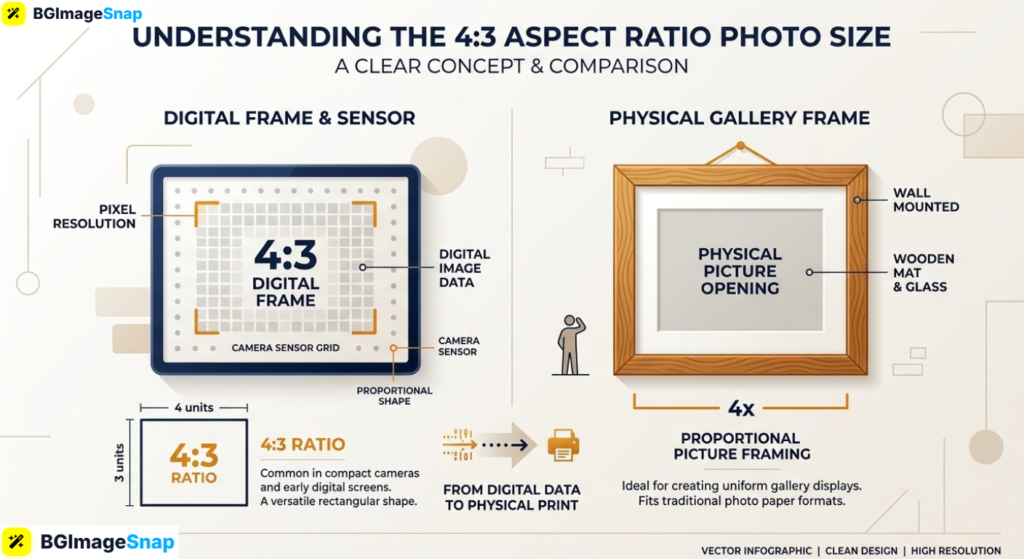
Cropping images to fit frames or social feeds often leads to chopped heads, stretched visuals, and frustrating black bars. Finding the right 4×3 aspect ratio photo size solves this problem by giving your photos a balanced, professional frame for both screens and physical prints. With the easy to use image editing tools on Bgimagesnap, you can resize, crop, and convert any image into the ideal 4:3 format in just a few clicks.
Key Takeaways
- A 4:3 ratio means the image width is 4 units for every 3 units of height, creating a balanced rectangular frame.
- The standard 4×3 aspect ratio photo size is the native capture format for Apple iPhones, iPads, and Micro Four Thirds digital cameras.
- Standard physical print sizes matching this ratio include 6×8, 9×12, 12×16, 18×24, and 30×40 inches.
- Common digital screen resolutions for 4:3 include 1024×768, 1600×1200, 2048×1536, and 4000×3000 pixels.
- Using an online image resizer allows you to crop images to a 4:3 ratio without stretching or losing visual sharpness.
What It Does and How 4:3 Aspect Ratio Works
An aspect ratio describes the proportional relationship between an image’s width and its height. It does not measure physical inches or digital pixels directly. Instead, it expresses the fundamental shape of the picture frame.
In a 4:3 proportion, dividing the width by 4 and the height by 3 produces equal values. This ratio is slightly taller and more compact than the widescreen 16:9 format commonly used on modern televisions. At the same time, it is wider and more spacious than a traditional 1:1 square icon.
Understanding your target 4×3 aspect ratio photo size is essential whenever you move pictures between cameras, display monitors, and photo paper. When you take a photo on an iPhone or an iPad, the camera sensor records the scene natively in 4:3. If you attempt to print that photo on standard 4×6 photo paper without adjusting it first, the printer must crop off portions of the top and bottom edges.
An online image resizer eliminates this guesswork by letting you lock your crop box to the exact 4:3 proportion. The software calculates the pixel grid automatically, allowing you to choose which part of your picture to keep. This ensures your subjects remain centered and your compositions stay intact across every screen and frame.
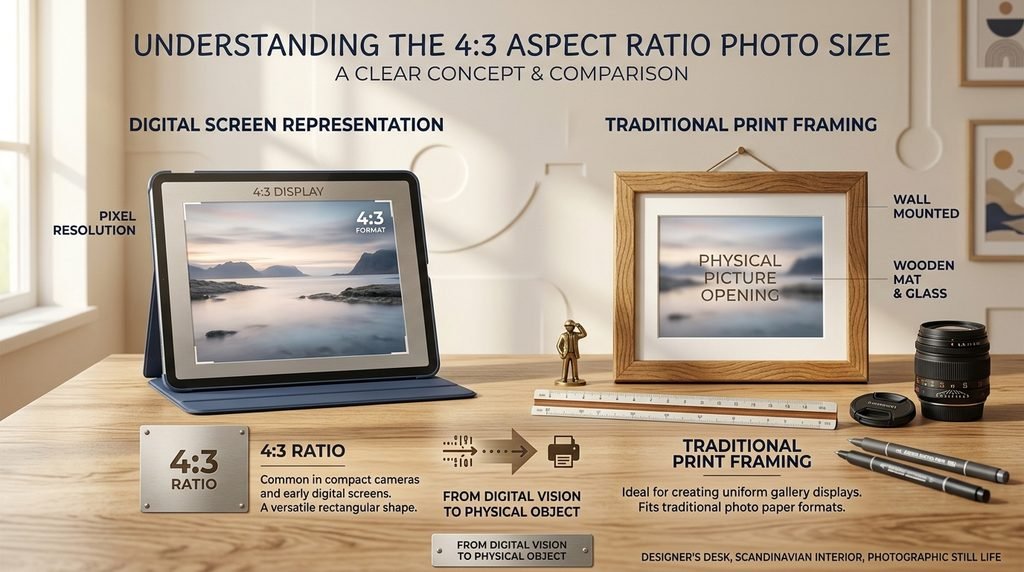
Complete Guide to 4×3 Aspect Ratio Photo Size Dimensions
An aspect ratio tells you the shape of an image, but the exact dimensions tell you its resolution and print capability. Below is a detailed breakdown of digital pixel dimensions, physical print measurements, and comparisons with other common formats.
Digital Pixel Resolutions for 4:3 Displays and Web
When preparing images for digital monitors, websites, or presentation decks, photos are measured in pixels. The table below lists standard digital resolutions based on a 4×3 aspect ratio photo size:
| Resolution Label | Pixel Dimensions (Width × Height) | Total Megapixels | Best Used For |
|---|---|---|---|
| VGA (Standard Definition) | 640 × 480 px | 0.3 MP | Retro gaming, email signatures, legacy web icons |
| SVGA | 800 × 600 px | 0.48 MP | Compact website thumbnails and forum previews |
| XGA (Classic Monitor) | 1024 × 768 px | 0.78 MP | Vintage computer displays and classroom projectors |
| SXGA+ | 1400 × 1050 px | 1.47 MP | Digital presentation slides and document illustrations |
| UXGA | 1600 × 1200 px | 1.92 MP | Standard blog graphics and medium web layouts |
| QXGA (iPad Retina Display) | 2048 × 1536 px | 3.15 MP | Tablet wallpapers, digital portfolios, and app assets |
| 12MP Smartphone Sensor | 4032 × 3024 px | 12.19 MP | Native Apple iPhone and flagship Android default photos |
| 16MP Micro Four Thirds | 4608 × 3456 px | 15.92 MP | Mirrorless camera captures and editorial photography |
| 20MP High Resolution Sensor | 5184 × 3888 px | 20.15 MP | Professional studio photography and gallery prints |
| 8K Full 4:3 Canvas | 8000 × 6000 px | 48.0 MP | Large commercial banners and architectural prints |
Physical Print Sizes for 4:3 Aspect Ratio (at 300 DPI)
For physical photo prints, framed pictures, and art prints, you must measure in inches or centimeters while maintaining a print resolution of 300 DPI (Dots Per Inch). If your pixel count is too low for the physical paper size, the print will look blurry.
Here are the most popular physical frame dimensions for a 4×3 aspect ratio photo size:
| Print Size (Inches) | Print Size (Centimeters) | Required Pixels (at 300 DPI) | Best Frame Application |
|---|---|---|---|
| 4 × 5.33 in | 10.2 × 13.5 cm | 1200 × 1600 px | Mini desk prints and scrapbook albums |
| 6 × 8 in | 15.2 × 20.3 cm | 1800 × 2400 px | Small bedside frames and tabletop portraits |
| 9 × 12 in | 22.9 × 30.5 cm | 2700 × 3600 px | Wall galleries, art prints, and certificate frames |
| 12 × 16 in | 30.5 × 40.6 cm | 3600 × 4800 px | Standard living room wall frames and poster prints |
| 15 × 20 in | 38.1 × 50.8 cm | 4500 × 6000 px | Large decorative home prints and art reproductions |
| 18 × 24 in | 45.7 × 61.0 cm | 5400 × 7200 px | Commercial posters, event notices, and canvas art |
| 24 × 32 in | 61.0 × 81.3 cm | 7200 × 9600 px | Museum gallery prints and feature wall displays |
| 30 × 40 in | 76.2 × 101.6 cm | 9000 × 12000 px | Large scale retail banners and exhibition photography |
4:3 vs. Other Popular Aspect Ratios
It helps to see how the 4:3 shape compares with other common photographic proportions:
- 4:3 vs. 3:2: The 3:2 format is standard on DSLR and full frame 35mm cameras. It is slightly longer and narrower than 4:3. A 4×6 inch print uses 3:2, which is why native smartphone photos (shot in 4:3) get cropped when printed on standard 4×6 photo paper.
- 4:3 vs. 16:9: The 16:9 format is wide and cinematic, making it the standard for YouTube videos, modern TVs, and smartphone screens in landscape orientation. In contrast, 4:3 provides more vertical room for portraits and documents.
- 4:3 vs. 1:1: A 1:1 format is a perfect square, popularized by Instagram feeds and profile avatars. A 4:3 frame offers extra horizontal or vertical breathing room for landscapes and group shots.
How to Crop and Resize to a 4×3 Aspect Ratio Photo Size
You do not need expensive software to convert your images into the correct dimensions. Follow these simple steps using the free online resizer on Bgimagesnap:
Step 1: Open the Online Resizer
Launch your internet browser on your computer, tablet, or phone and open the image resizer on Bgimagesnap. The tool runs directly in your browser without requiring account creation or software installations.
Step 2: Upload Your Image
Click the “Upload Image” button or drag and drop your photo into the workspace. The tool supports all common image formats, including JPG, PNG, WebP, HEIC, and BMP.
Step 3: Select the 4:3 Ratio Preset
Choose the 4:3 aspect ratio preset from the ratio menu. If you have specific dimensions in mind, you can enter custom pixel values (such as 4000×3000 px for digital use or 2400×1800 px for print) while keeping the aspect ratio locked.
Step 4: Adjust Your Framing
Move the interactive cropping box over your image to position the main subject. Keep important visual details, such as faces and horizons, comfortably inside the crop lines to ensure a balanced composition.
Step 5: Export and Download
Click the “Download” button to save your formatted image directly to your device. Your photo will retain its sharpness and clarity, ready for printing, framing, or posting online.
Real Use Cases Who Uses a 4×3 Aspect Ratio Photo Size and Why?
The 4:3 ratio remains one of the most widely used visual formats in the world today. Here are several real life situations where it is the preferred choice:
1. Smartphone and Mobile Photographers
Both Apple iPhones and flagship Android smartphones record still photos in a native 4:3 ratio by default. When mobile photographers prepare their shots for wall prints or photo books, choosing a 4×3 aspect ratio photo size ensures that no part of the original scene gets cropped out. It allows photographers to print their work exactly as they composed it on their screens.
2. Tablet Content Creators and Digital Artists
Devices like the Apple iPad and various Android tablets feature displays that closely mirror the 4:3 proportion. Digital painters, illustrators, and graphic designers frequently build artwork using 2048×1536 or 2732×2048 pixel canvases. Sizing images to these dimensions guarantees that digital art fits tablet screens cleanly without black borders.
3. Vintage Film Lovers and Retro Videographers
The 4:3 ratio was the global standard for cinema and television throughout the mid twentieth century. Today, filmmakers, YouTubers, and photographers embrace 4:3 to evoke a nostalgic, retro aesthetic. Formatting your portraits or video stills to a classic 4×3 aspect ratio photo size gives them an artistic, old school feel that stands out from widescreen content.
4. E-Commerce Sellers and Product Catalog Designers
Merchants on platforms like Etsy, Shopify, and Amazon frequently use 4:3 vertical or horizontal orientations for product listings. The slightly squarer rectangle provides balanced space around items like shoes, bags, pottery, and clothing without excessive empty space on the sides. It creates a neat, organized grid on both mobile and desktop shopping screens.
Practical Tips for Working With 4:3 Photo Sizes
To get the cleanest results when framing and printing your 4:3 images, keep these helpful tips in mind:
- Leave margin space when shooting. If you plan to print your photo across different paper formats later, keep your subject away from the edges. This leaves enough room for alternative crops without losing essential elements.
- Always check your DPI before printing. To turn a digital file into a crisp physical print, divide your pixel width by 300 to find the maximum print size in inches. For example, a 3000 pixel image prints cleanly up to 10 inches wide.
- Match frames to aspect ratios. If you shoot in 4:3, buy matching frames like 6×8, 9×12, or 18×24 inches. This prevents you from having to crop your photos to fit standard 4×6 or 8×10 frames.
- Never stretch to fit. If an image does not fit your target canvas, crop the edges instead of unlinking the aspect ratio. Stretching an image squishes faces and ruins natural proportions.
- Keep unedited master copies safe. Always save a copy of your original high resolution camera file before applying crops or downsampling dimensions for web sharing.
- Use PNG for illustrations, JPG for photos. When exporting resized 4:3 files, choose PNG for graphic designs with flat colors and JPG for rich photography to keep file sizes balanced.
FAQs
What is the most common 4×3 aspect ratio photo size in pixels?
The most common digital size is 4032 × 3024 pixels, which is the default 12 megapixel resolution produced by iPhones and modern smartphones. For desktop displays, 1600×1200 px and 1024×768 px are classic standards.
Is a 4×6-inch print a 4:3 aspect ratio?
No. A 4×6 inch photo uses a 3:2 aspect ratio. If you print a native smartphone photo (which is shot in 4:3) on a 4×6 paper sheet, the printer will trim off a portion of your image unless you add borders.
What standard frame sizes fit a 4×3 aspect ratio photo size without cropping?
Standard picture frames that fit a 4:3 photo perfectly without any cropping include 6×8, 9×12, 12×16, 18×24, and 30×40 inches.
Why do smartphone cameras use 4:3 instead of 16:9 for photos?
Smartphone camera sensors are manufactured in a physical 4:3 shape. Shooting in 4:3 uses the entire surface area of the camera sensor. If you switch your phone camera to 16:9, it simply crops the top and bottom of the 4:3 sensor, which reduces the photo’s overall megapixels.
Can I resize an image to 4:3 without losing quality?
Yes. When using a quality image resizer like Bgimagesnap, cropping or shrinking an image to fit a 4:3 canvas preserves sharpness and visual detail. Avoid enlarging small low resolution files beyond their original dimensions to prevent pixelation.
Conclusion
Choosing the right 4×3 aspect ratio photo size ensures your pictures look balanced, crisp, and properly proportioned across screens, tablet displays, and framed prints. Whether you are printing family memories or creating digital catalog graphics, matching your pixel dimensions to the 4:3 standard prevents unwanted cropping and visual distortion. Ready to format your pictures with precision? Visit bgimagesnap today to use our free online image resizer and crop your photos to the perfect 4:3 dimensions in seconds!