
Building a site from scratch takes weeks of coding and design work that most people simply do not have. An Ai Website builder solves this by generating full web pages from a simple text prompt in minutes. With free image tools from Bgimagesnap, you can perfectly resize and remove backgrounds on your photos to make that new site look professional instantly.
Key Takeaways
- An Ai Website builder uses artificial intelligence to create complete web layouts, text, and design elements automatically.
- You do not need any coding or graphic design skills to launch a beautiful, functional site anymore.
- These platforms generate sites based on a short description of your business or project.
- AI builders still require high quality, optimized images to look trustworthy and load quickly.
- Bgimagesnap gives you free tools to resize, compress, and remove backgrounds from photos for your new site.
What an Ai Website Builder Does and How It Works
An Ai Website builder is a platform that uses machine learning to design and code web pages for you. Instead of dragging elements onto a blank canvas or writing HTML, you simply describe what you want. The AI processes your description and builds a complete site in seconds.
The system relies on large language models and design algorithms. It has studied millions of successful websites to understand what makes a good layout. When you type a prompt like “a modern bakery website with a menu and photo gallery,” the AI knows exactly how to structure it. It picks the colors, fonts, and sections that work best for bakeries.
Within moments, the AI delivers a fully functional draft. This draft includes placeholder text tailored to your niche, contact forms, image galleries, and navigation menus. You can then tweak the design using a simple visual editor.
This technology removes the biggest roadblocks in web design. You no longer need to hire expensive agencies or learn complex software. The AI handles the heavy lifting, giving you a polished foundation that you can easily customize.
However, artificial intelligence cannot take real photos of your products or team. You still need to supply your own images. This is where Bgimagesnap becomes essential. You can prepare your pictures so they look flawless on your new digital home.
Full List of Ai Website Features and Builder Options
There are several platforms available that can generate an Ai Website for you. Each offers different features, but they all share the goal of making web design instant and effortless. Below is a breakdown of the top features and a comparison of popular builders.
Core Features of an Ai Website Builder
- Prompt Based Generation: You describe your business in a few sentences, and the AI builds the site from that prompt.
- Customizable Drafts: Once the AI generates the layout, you can change colors, fonts, and text using a simple drag and drop editor.
- AI Copywriting: The platform automatically writes professional headlines and paragraphs tailored to your industry.
- Responsive Design: The generated site automatically adjusts to look perfect on desktop computers, tablets, and mobile phones.
- Built In SEO: Many AI builders include basic search engine optimization settings to help your site rank on Google.
- E-Commerce Integration: You can easily add shopping carts, product pages, and checkout systems to sell items online.
- Free Hosting: Most platforms host your site on their servers, so you do not need to manage technical server setups.
Popular Ai Website Builders Compared
| Platform | Best For | Key AI Feature | Pricing |
|---|---|---|---|
| Hostinger AI Builder | Beginners & small business | Generates full site from a single prompt | Very affordable paid plans |
| Wix ADI | Creative portfolios | Asks a few questions, builds a custom layout | Free plan available, paid for premium |
| Framer AI | Modern startups & tech | Generates sleek, high end designs from prompts | Free to start, paid for custom domains |
| Durable AI | Solo service providers | Creates a full business site in 30 seconds | Affordable monthly subscription |
| 10Web | WordPress users | Generates WordPress sites using AI | Free trial, then paid |
Essential Image Tools for Your Ai Website
Even the best AI cannot create real photos of your specific products. You must upload your own visuals. Here are the image features you need to perfect your site:
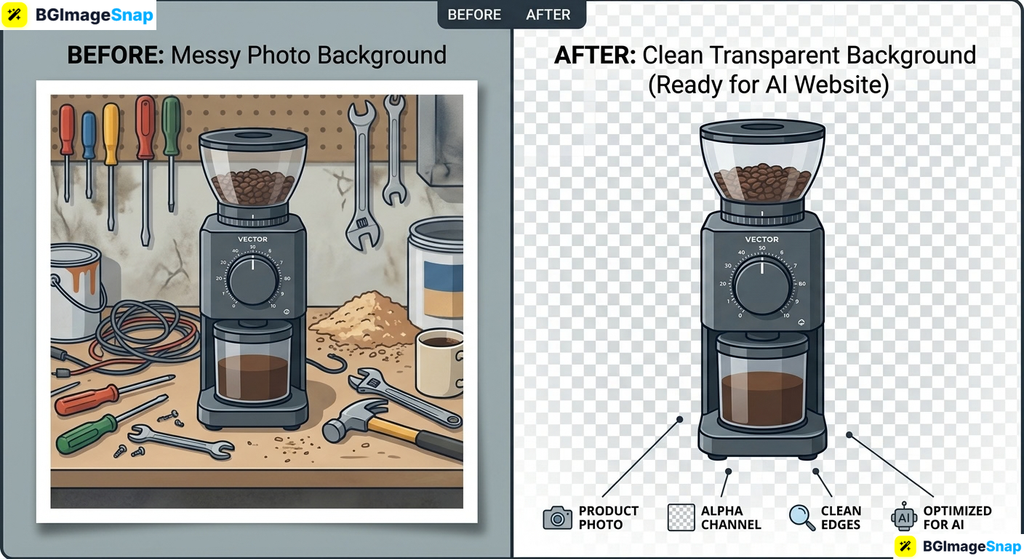
- Background Remover: Erase messy backgrounds from product or team photos to make them look professional.
- Image Resizer: Adjust your photos to fit exact website dimensions without stretching or distortion.
- Image Compressor: Shrink file sizes so your web pages load quickly for visitors.
- Format Converter: Change images into web friendly formats like WebP or PNG for better performance.
How to Create Your Own Ai Website Step by Step
Launching your own Ai Website takes just a few minutes. Follow these simple steps to go from an idea to a live, polished website.
Step 1: Choose an AI Website Builder
Select a platform that fits your needs. If you want the fastest setup, try Durable or Hostinger. If you want more design control later, choose Wix or Framer. Create an account on your chosen platform to get started.
Step 2: Enter Your Business Prompt
The AI will ask you for a description of your business. Type a clear, simple sentence. For example, say “A freelance graphic design studio specializing in logos and branding.” The more specific you are, the better the AI can tailor the layout and text.
Step 3: Let the AI Generate the Site
Click the generate button and wait a few seconds. The platform will create a complete website with a homepage, about section, contact form, and services page. Browse the draft to see how it looks and read the AI written text.
Step 4: Prepare and Upload Your Images
Go to Bgimagesnap to prepare your photos. Use the background remover to isolate your products, and use the resizer to make them fit perfectly. Then, return to your website draft and replace the placeholder images with your optimized pictures.
Step 5: Edit, Review, and Publish
Adjust any text or colors to match your brand. Check the site on your phone to ensure it looks good on mobile. Once you are happy with the design, click the publish button. Your new Ai Website is now live on the internet.
Real Use Cases Who Uses an Ai Website and Why?
AI builders are transforming how different people create their online presence. Here are a’few common examples.
1. Freelancers and Solo Service Providers
Freelance writers, designers, and consultants need a portfolio to attract clients. They often lack the time to build a complex site. An Ai Website gives them a professional portfolio in minutes. They just upload their work samples and are ready to share their link with potential clients.
2. E-Commerce Sellers and Local Shops
Small shop owners who sell handmade goods or local products need an online store. AI builders can generate product galleries and shopping carts instantly. Sellers use Bgimagesnap to remove backgrounds from their product photos. This makes their items look clean and expensive on their new site.
3. Students and Event Organizers
Students working on group projects or organizing events need a quick way to share information. An AI builder can create a simple event page with schedules, maps, and contact forms. It is much faster than coding, and it looks highly professional for school presentations.
4. Small Business Startups
New businesses need to establish an online presence quickly to build trust. With an AI builder, a startup can launch a polished landing page on their very first day. This allows them to start collecting emails and making sales while they focus on growing their business.
Practical Tips for Perfecting Your Ai Website Images
An Ai Website is only as good as the images you put on it. Follow these tips to make sure your site looks incredible and loads fast.
- Always remove messy backgrounds. A photo taken in a messy room looks unprofessional. Use Bgimagesnap to instantly erase the background and place your product on a clean white or transparent canvas.
- Resize images to the exact dimensions. Huge images will slow down your website. Use an image resizer to match the exact pixel size required by your layout before uploading.
- Compress your files for speed. Large image files make websites load slowly, which drives visitors away. Run your photos through a compressor to reduce the file size without losing visual quality.
- Use consistent lighting. Take all your product photos in the same lighting setup. This makes your website look cohesive and professional, rather than patched together.
- Save logos as transparent PNGs. If your logo has a background box, it will look awkward on colored website headers. Remove the background and save it as a PNG so it blends perfectly.
- Replace all AI placeholders. AI builders use generic stock photos. Always replace these with your own real images to build trust with your audience.
Frequently Asked Questions
What is an Ai Website builder?
It is a platform that uses artificial intelligence to design and build a website for you automatically. You simply describe your business, and the AI creates the layout, writes the text, and sets up the features.
Is an Ai Website good for SEO?
Yes, most AI builders create sites that follow good technical SEO practices. They are mobile friendly and load quickly. However, you still need to add your own keywords and high quality content to rank well on Google.
Do I need to know how to code?
No, you do not need any coding skills. The AI writes the code in the background. You only interact with a simple visual editor to make changes to your site.
Are AI websites free?
Many platforms offer a free plan or a free trial to test the builder. However, to connect a custom domain name like www.yourbusiness.com you usually need to upgrade to a paid subscription.
Why do I need to edit my images before uploading?
AI builders create great layouts, but they cannot fix bad photos. Uploading high quality, properly sized, and compressed images ensures your site looks professional and loads quickly for your visitors.
Conclusion
Creating an Ai Website is the fastest and easiest way to build a professional online presence without hiring a developer. The AI handles the design, layout, and writing, giving you a stunning site in seconds. By combining these smart builders with Bgimagesnap to perfect your photos, you can launch a flawless website in under an hour.
Ready to create stunning visuals for your new site? Visit bgimagesnap today to resize, compress, and remove backgrounds from your images for free.