Choosing an avatar that looks professional, friendly, and memorable across all your social accounts is often harder than it looks. Selecting the best pics for profile picture setups solves this problem by helping you make a great first impression on employers, friends, and followers alike. With free browser tools like Bgimagesnap, you can easily clean up backdrops, crop to standard dimensions, and format any photo into a standout avatar in seconds.
Key Takeaways
- The best pics for profile picture displays feature clear facial lighting, balanced contrast, and a clutter free background.
- Different platforms require specific aesthetics, ranging from formal headshots on LinkedIn to casual lifestyle shots on Instagram.
- Profile pictures are displayed inside circular crops, meaning your face must remain safely centered in a 1:1 square canvas.
- Using an online background remover lets you eliminate distracting environments and substitute studio style solid colors.
- Bgimagesnap allows you to crop, resize, and optimize any portrait without downloading heavy editing software.
What Makes a Great Avatar and How Profile Editing Tools Work
A profile picture serves as your visual handshake across the internet. Whether someone spots your comment on LinkedIn, interacts with your TikTok video, or chats in a Discord server, your avatar introduces your personality instantly. The best pics for profile picture use balance approachable facial expressions with crisp, high resolution clarity.
At a technical level, social networks display your avatar inside small circular frames that measure only a fraction of an inch on smartphone screens. When you upload a wide portrait or group shot, platforms automatically shrink and crop the image. This automated cropping often slices off hairstyles, cuts into foreheads, or forces subjects into blurry corners.
Online image editing tools solve this by providing complete control over your photo composition before you upload. Instead of hoping a social app crops your photo correctly, you can position your subject inside a custom 1:1 square canvas. Advanced tools also enhance image brightness, boost contrast, and smooth harsh shadows to make tiny mobile thumbnails pop.
Furthermore, artificial intelligence tools allow you to remove messy backgrounds with a single click. If you snapped a great portrait in a messy bedroom or busy public street, an AI background eraser strips that distraction away. You can then place yourself in front of a soft gradient, professional office setting, or solid neutral backdrop effortlessly.
Full List of the Best Pics for Profile Picture Ideas and Formats
Finding the right avatar style depends on the community you are joining and the audience you want to attract. Below is a detailed breakdown of the most effective avatar concepts, platform dimension requirements, and technical standards.
Top Styles for Profile Pictures
- The Warm Professional Headshot: A chest up portrait with soft, natural front lighting and a clean, neutral background. This style is mandatory for LinkedIn, company directories, and client facing platforms like Upwork.
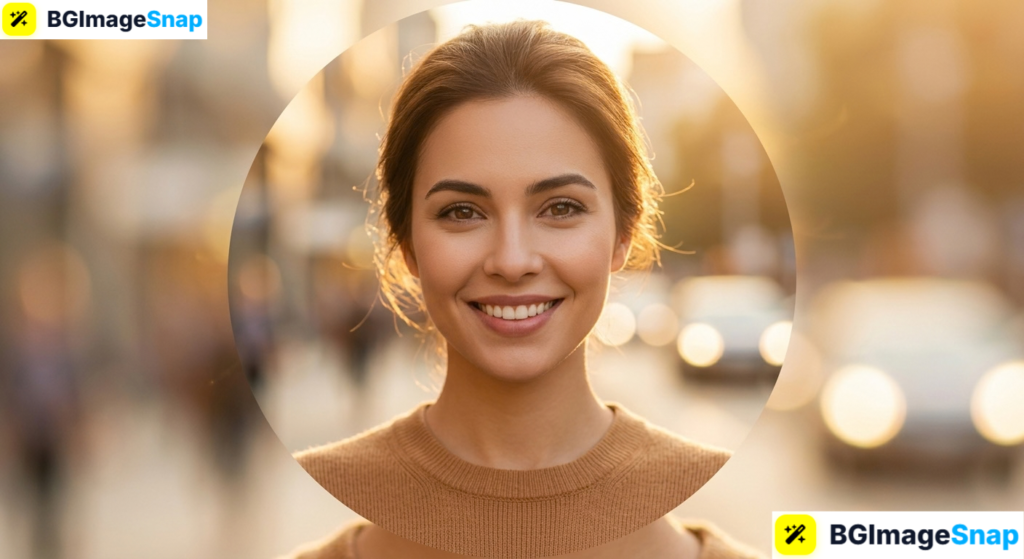
- The Casual Outdoor Portrait: A natural snapshot taken during golden hour in a park, beach, or urban street with a softly blurred background. Perfect for Instagram, Facebook, and personal blogs.
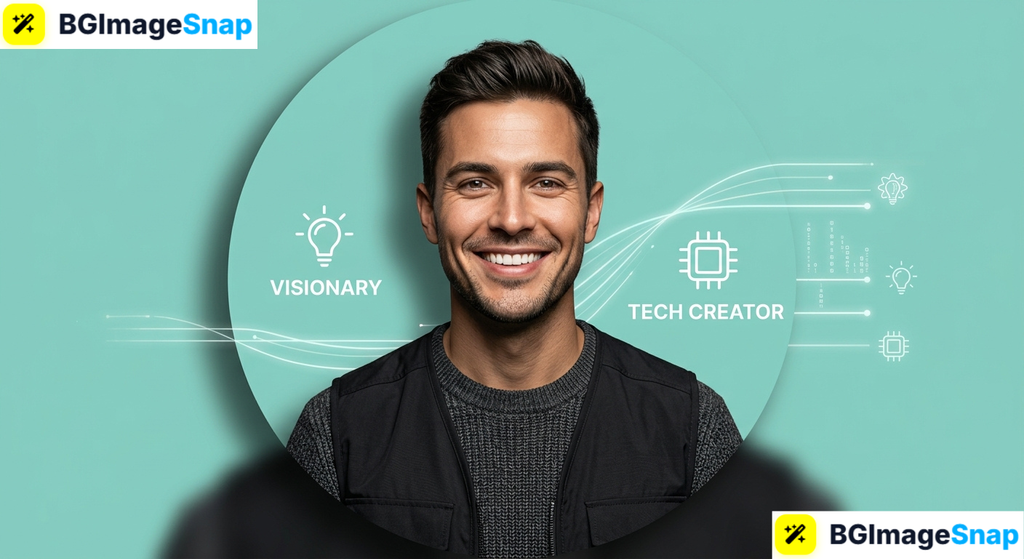
- The High Contrast Studio Cutout: A crisp portrait where the original background is completely removed and replaced with a bright, solid color or subtle gradient. This approach is trending across Twitter, YouTube, and TikTok because it stands out in busy comment threads.
- The Candid Action Shot: A photograph showing you engaged in your craft, such as speaking on stage, taking photographs, coding at a desk, or painting. Excellent for creative freelancers and portfolio websites.
- The Coordinated Aesthetic Avatar: A stylish, color graded portrait or minimalist silhouette that matches the overall color palette of your social media feed. Very popular on Pinterest, Tumblr, and creative design platforms.
- The Illustrated or Gaming Avatar: A stylized digital caricature, anime rendition, or 3D character model. This style works best for Discord servers, Twitch streaming channels, and gaming platforms where personal privacy is prioritized.
Platform Sizing and Dimension Guide
To keep the best pics for profile picture uploads looking sharp and free of pixelation, use these standard specifications:
| Platform | Recommended Dimensions | Aspect Ratio | Display Mask Shape | Best Photo Style |
|---|---|---|---|---|
| 400 × 400 px | 1:1 Square | Circle | Professional headshot, solid backdrop | |
| 320 × 320 px | 1:1 Square | Circle | Creative portrait, aesthetic lifestyle | |
| TikTok | 200 × 200 px | 1:1 Square | Circle | High contrast cutout, vibrant colors |
| Twitter / X | 400 × 400 px | 1:1 Square | Circle (Square for brands) | Sharp portrait, engaging expression |
| Discord | 512 × 512 px | 1:1 Square | Circle | Gaming mascot, anime art, meme icon |
| YouTube | 800 × 800 px | 1:1 Square | Circle | Channel logo, high energy portrait |
| 196 × 196 px | 1:1 Square | Circle | Casual snapshot, family or couple photo | |
| Steam | 184 × 184 px | 1:1 Square | Rounded Square | Gaming character, pixel art, gamer logo |
Key Characteristics of Winning Profile Pictures
Regardless of which platform you target, the best pics for profile picture displays share several core technical attributes:
- Eye Contact Focus: Looking directly into the camera lens establishes immediate trust, warmth, and engagement with viewers.
- Subject Prominence: Your face and shoulders should occupy roughly 60% to 70% of the circular frame.
- High Visual Contrast: Distinct separation between your hair, clothing, and the background ensures your silhouette remains recognizable at thumbnail scale.
- Zero Compression Artifacts: High resolution exports prevent blurry edges, pixel blocks, and color banding on modern retina displays.
- Uncluttered Framing: Clean composition prevents background objects—like lamps, doorframes, or other people—from distracting from your face.
How to Edit the Best Pics for Profile Picture Displays Online
Transforming a raw smartphone snapshot into a studio grade avatar takes less than two minutes with free browser tools. Follow these simple steps using Bgimagesnap:
Step 1: Select a Clear Source Image
Browse your photo library and select a portrait taken with good lighting. Look for a photo where your eyes are in sharp focus and your facial expression feels natural and relaxed.
Step 2: Upload Your Photo to Bgimagesnap
Open your web browser and navigate to the photo editing tools on Bgimagesnap. Upload your file directly from your computer, tablet, or smartphone without needing to register an account or pay a fee.
Step 3: Remove Distracting Background Clutter
Use the automated AI background remover to eliminate messy rooms, photobombers, or poor lighting behind you. The tool extracts your portrait cleanly, preserving fine details like individual strands of hair.
Step 4: Add a Polished New Backdrop
Replace the erased background with a clean solid color, a soft gradient, or a professional office scene. Choosing a subtle pastel tone or brand aligned hue helps your avatar stand out in dark mode and light mode feeds alike.
Step 5: Crop to a Centered 1:1 Square and Export
Select the 1:1 square cropping preset. Position your face in the center of the frame, ensuring that the circular mask will not slice off your chin, hair, or shoulders. Download the final high resolution PNG or JPG file and upload it directly to your profile.
Real Use Cases Who Needs the Best Pics for Profile Picture Displays?
Curating the best pics for profile picture uploads delivers measurable benefits across personal, educational, and business activities.
1. Job Seekers and Corporate Professionals
Hiring managers and recruiters frequently screen candidates on LinkedIn before scheduling interviews. A blurry, cropped selfie taken in a car immediately signals a lack of professional polish. Uploading a clean headshot with even lighting and a tidy background presents you as a serious, detail oriented candidate who takes their career seriously.
2. E-Commerce Merchants and Small Business Owners
Shoppers on platforms like Etsy, Shopify, and Depop prefer buying from real, trustworthy humans rather than anonymous storefronts. Using approachable, professional best pics for profile picture branding builds immediate credibility with prospective customers. When buyers see a genuine, smiling founder avatar, they feel more confident completing their purchase.
3. Content Creators, Streamers, and Influencers
Digital creators on TikTok, Instagram, and Twitch compete against thousands of competing feeds every second. An eye catching avatar with bold background contrast grabs attention in crowded comment sections and notification panels. This increased visual visibility helps creators drive more profile visits, video clicks, and channel subscriptions.
4. Remote Workers, Freelancers, and Agency Owners
Remote freelancers pitching services on Upwork, Fiverr, or Slack communicate exclusively through digital screens. A sharp, confident avatar builds instant rapport with remote clients who may never meet you in person. It creates a human connection that makes business relationships run smoother and negotiations feel more personal.
Practical Tips for Choosing the Best Pics for Profile Picture Success
Apply these practical photography and styling suggestions to capture and prepare stunning avatars with any camera:
- Utilize natural window light. Stand facing a large window rather than standing directly under harsh overhead ceiling lights to avoid unflattering shadows under your eyes and nose.
- Dress in solid, contrasting colors. Avoid intricate striped or checkered patterns, which can distort or create moiré patterns when shrunk down to tiny smartphone screen sizes.
- Mind the circular border. Always compose your image with plenty of breathing room around your head so that circular social media crop tools do not clip your hair or forehead.
- Show genuine emotion. A relaxed smile that reaches your eyes makes you appear significantly more approachable, likable, and trustworthy than an unexpressive stare.
- Keep your avatar updated. Refresh your profile picture every one to two years, or whenever your appearance changes significantly with a new hairstyle or glasses.
- Test your avatar in dark mode. Preview your profile image against both white and black backgrounds to guarantee that dark hair or clothing does not vanish into dark themed apps.
- Export in PNG format for graphics. If your profile picture uses digital illustrations, sharp logos, or bold flat colors, save it as a PNG file to prevent JPG compression blur.
FAQs
What are the best pics for profile picture uploads on professional platforms?
The best pics for profile picture use on professional networks like LinkedIn are chest up portraits featuring natural smiling expressions, professional attire, and neutral backgrounds. Good lighting and eye contact are critical for establishing credibility.
Can I use a casual selfie as a profile picture?
Yes, provided the selfie is captured with good lighting and steady framing. Avoid raised arm camera angles, messy bathroom mirrors, and obvious filters. Running your selfie through an online background remover can quickly transform it into a studio grade headshot.
Why does my profile picture look blurry after uploading?
Blurriness usually occurs when you upload an image with a pixel resolution smaller than the platform’s display requirements, causing the app to stretch the pixels. Starting with a sharp source file of at least 512×512 pixels ensures your avatar stays crisp across high density retina displays.
Should my profile picture show my whole body or just my face?
Your profile picture should focus on your face, neck, and upper shoulders. Full body shots make your face appear tiny and indistinguishable when viewed inside circular mobile thumbnails.
How can I make my profile picture stand out in comment feeds?
Isolate your portrait using an AI background remover and replace the backdrop with a vibrant, high contrast solid color or a subtle neon border. This creates a bold visual pop that catches the eye immediately as users scroll through busy feeds.
Conclusion
Finding and styling the best pics for profile picture displays is one of the most effective ways to upgrade your digital identity, attract followers, and make lasting professional connections. By combining sharp focus, balanced lighting, and a clean background, any photo can become an impressive avatar. Ready to create your perfect profile picture? Visit bgimagesnap today to test our free AI background remover, crop to 1:1 dimensions, and craft your standout avatar in just a few clicks!