When you visit a photo studio for passport photos, they print multiple copies on a single sheet and cut them for you. With BGImageSnap.com free ID Photo Grid Maker, you can create the same print-ready sheet at home in under a minute, saving time and money.
What Is an ID Photo Grid?
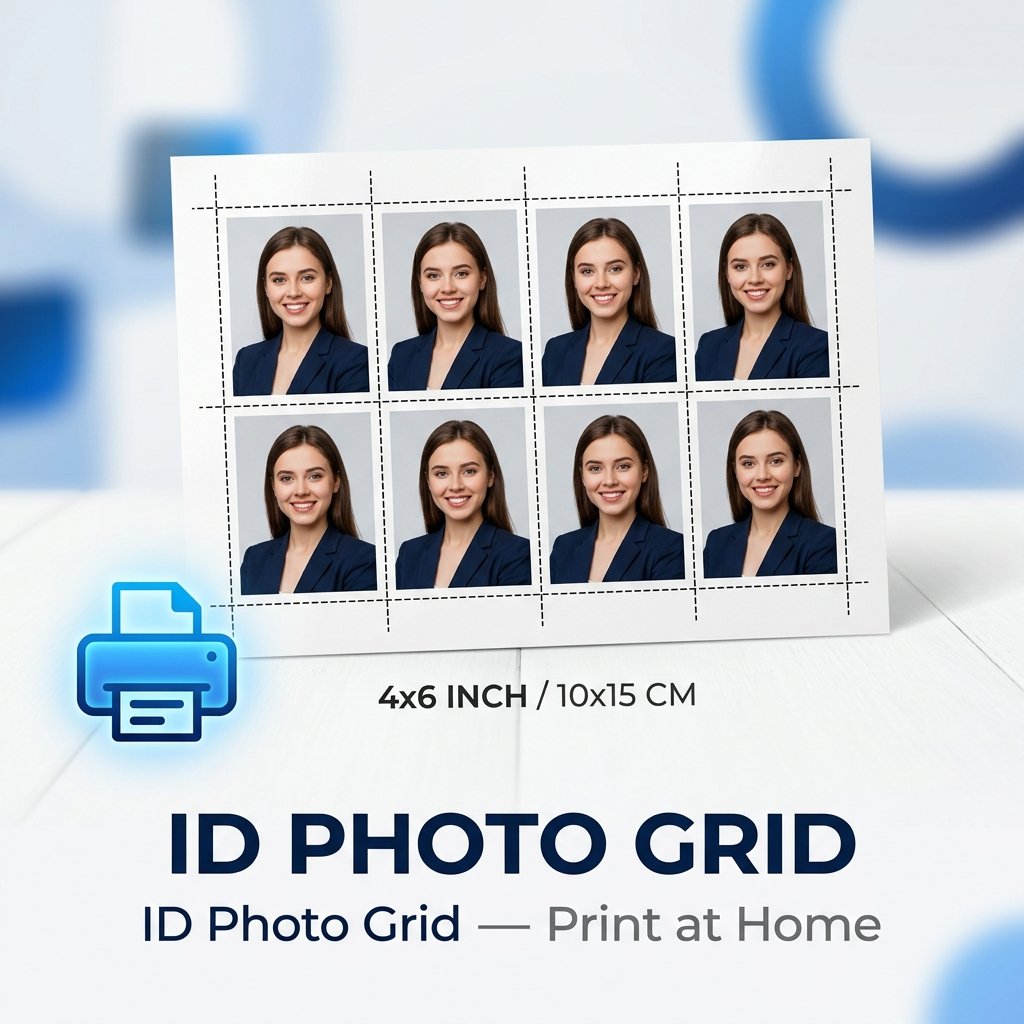
An ID photo grid is a layout of multiple identical passport or ID photos arranged on a standard print size, with dashed cut-guide lines so you can accurately trim each photo after printing. Common configurations:
- 4×6 inch sheet: Fits 4 to 6 passport-size photos (most common for home printing)
- 5×7 inch sheet: Fits 6 to 9 passport photos depending on size
- A4 sheet: Standard European paper size, fits 8 to 12 passport photos
How to Create a Passport Photo Grid Free Online
- Make your passport photo: Use our Passport Photo Maker to get the correctly sized and cropped photo for your country.
- Remove or replace the background: Use our Background Remover to apply the required official white or light blue background.
- Open the Grid Maker: Go to the ID Photo Grid Maker.
- Upload your cropped passport photo.
- Select your print sheet size: Choose 4×6, 5×7, or A4.
- Download the grid as a high-resolution JPG or PDF at 300 DPI, ready to print.
- Print at 100% scale: Never use fit to page — always print at actual size (100%) for accurate dimensions.
How Many Passport Photos Fit on a 4×6 Sheet?
For US passport photos (2×2 inches), a 4×6 sheet fits 4 photos in a 2×2 grid. For smaller UK or EU photos (35×45 mm), you can fit 6 to 8 per 4×6 sheet. Our tool automatically calculates the optimal grid layout based on your photo size and selected sheet.
Where to Print Your Passport Photo Grid
- Home printer: Use glossy or matte photo paper and print at maximum quality.
- Photo lab or pharmacy: Upload the downloaded file to Walgreens, CVS, Costco, or similar services for professional glossy prints.
- Office printer: A4 grids work well on standard office printers at full size.
Frequently Asked Questions
Can I use an ID photo grid for a driving licence or visa photo?
Yes. Our grid maker works for any ID photo size. Use our Passport Photo Maker to get the correct crop first, then create the grid with cut guides.
What DPI should passport photos be printed at?
Official passport photos must be printed at a minimum of 300 DPI for sharp edges and accurate color. Our tool exports grids at 300 DPI by default to meet government standards.
Can I download the grid as a PDF?
Yes. The ID Photo Grid Maker lets you download a high-res JPG or a print-ready PDF at 300 DPI.
Is the grid maker completely free?
Yes. BGImageSnap.com ID Photo Grid Maker is 100% free with no watermarks, no signup required, and no limits on usage.