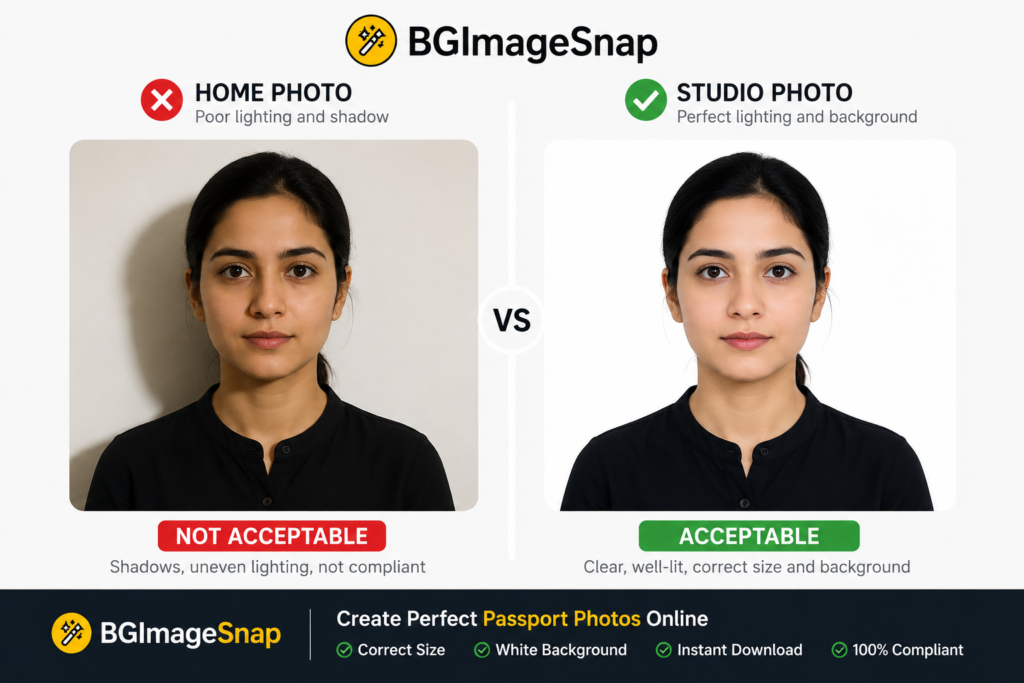
Photo Passport Studio vs Online Maker Discover 8 key differences between professional studios and online makers passport applications in 2026
Quick Answer / Key Takeaways
- A photo passport studio offers the highest acceptance rate because staff control lighting background and framing in real time.
- Online makers work best only when you already understand official sizing, background rules and high quality printing.
- The USA requires a 2×2 inch image; the UK requires 35×45 mm; Canada requires 50×70 mm.
- Background shadows, wrong head sizing, and outdated photos are the leading causes of rejection.
- For babies first time applicants or urgent deadlines a professional studio is usually the safer investment.
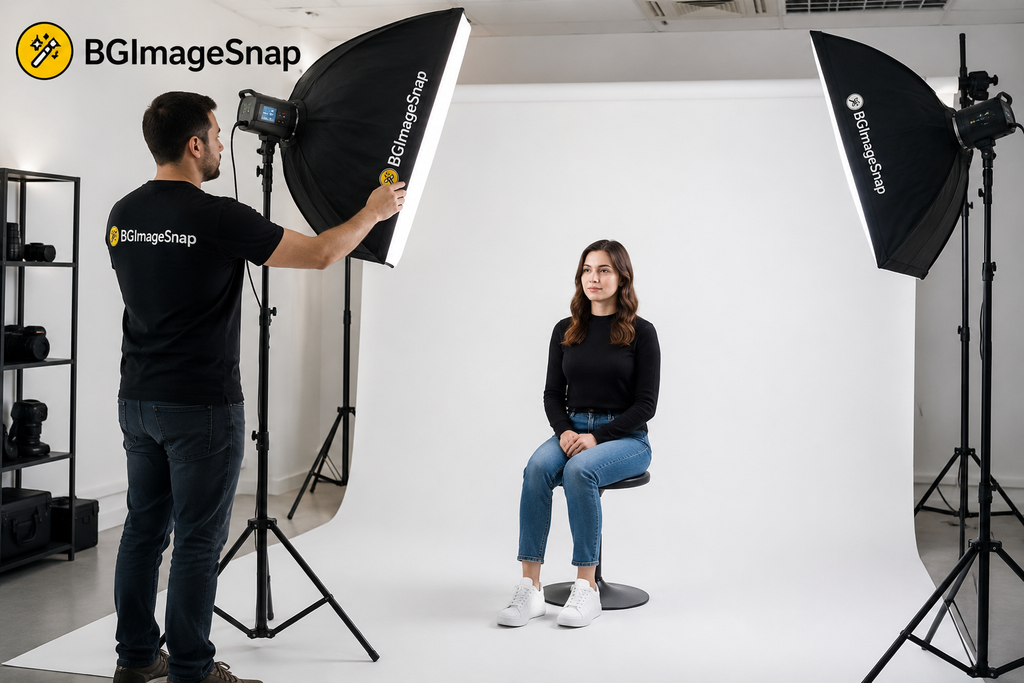
What Is a Photo Passport Studio?
A photo passport studio is a dedicated physical location often inside a pharmacy chain photography shop or independent portrait studio where trained staff capture identification images using professional cameras standardized backdrops and uniform lighting. Unlike casual selfies these studios understand country specific framing head size ratios and background requirements. Photo Passport Studio vs. Online Maker. If you search for a photo passport studio near you prioritize providers that explicitly list government compliant passport services. A reliable location will ask which country you are applying to and confirm whether you need the USA’s 2×2 inch format the UK’s biometric size or Canada’s 50×70 mm standard. They should also provide printed copies on photo grade paper within minutes reducing the risk of home printing errors.
Photo Passport Studio vs Online Passport Photo Maker: Which Is Better?
This is the central decision for modern applicants. Both options can produce valid images but the risk profile, speed and quality control differ significantly.
| Factor | Photo Passport Studio | Online Passport Photo Maker |
|---|---|---|
| Typical Cost (USA) | Usually $10–$25 for a printed set | Often free to $10 for digital files |
| Turnaround | Immediate prints in minutes | Minutes to hours for digital delivery |
| Background Control | Physical white/off white backdrop; shadow free by design | Depends on user environment and editing accuracy |
| Lighting | Professional, even illumination across the face | Natural or room light; high risk of uneven shadows |
| Sizing Accuracy | Precise country specs verified by staff | Automated crop; requires manual verification |
| Print Quality | Professional photo paper correct finish | Home printer or mail service; color variance possible |
| Rejection Risk | Low, when staff are experienced | Moderate to high without expert guidance |
| Best For | First-time applicants, children urgent travel | Tech comfortable users with quality cameras and perfect lighting |
A photo passport studio removes guesswork. The photographer positions your head within the required frame checks that your background image is pure white or off white with zero shadows and prints on correct paper stock. Online makers rely on algorithms. While some platforms automatically crop and adjust backgrounds they cannot always detect a faint wall texture uneven lighting behind your ears or a subtle gray tint. For applicants in the USA where non compliant photos remain one of the more common processing delays the studio option often pays for itself by avoiding resubmission fees and rushed travel adjustments.
Passport Photo Requirements in the USA, UK, and CA
Rules vary by country and a reputable photo passport studio should maintain current knowledge of each format.
USA (U.S. Department of State)
- Size: 2×2 inches (51 × 51 mm)
- Head Size: Between 1 and 1 3/8 inches (25–35 mm) from bottom of chin to top of head
- Background: Plain white or off white; no shadows, textures or patterns
- Expression: Neutral; mouth closed; both eyes open
- Validity: Taken within the last 6 months
- Glasses: Generally prohibited unless accompanied by a signed medical statement
Official specifications: travel.state.gov
UK (HM Passport Office)
- Size: 35 × 45 mm
- Background: Plain cream or light gray
- Expression: Neutral; mouth closed; no smiling
- Other: No hair across the eyes; no head coverings except for religious or medical reasons
Official specifications: gov.uk
Canada (Government of Canada)
- Size: 50 × 70 mm
- Background: Plain white or light colored
- Other: Neutral expression; photo must be taken by a commercial photographer who stamps the back with the date and studio name
Official specifications: canada.ca
Because these dimensions and background rules are not interchangeable confirming that your photo passport studio serves your specific destination is essential before the shutter clicks.
Why Your Background Image Is the Hidden Risk Factor
Your passport photo background is not decorative it is a regulatory requirement. In the USA the background must be white or off-white with no shadows, textures or visible objects. The UK allows light cream or light gray but patterns and gradients still fail. Canada requires a plain white or light colored surface.
A photo passport studio achieves compliance with physical backdrops and diffused studio strobes. If you choose an online route you must manage your own background image environment. Even high quality background removal software can leave artifacts faint halos, uneven edges or gray spots that automated government checks flag. Before submitting any digitally edited photo inspect the background image at 100% zoom. The surface should be completely uniform with no gradient.
If you need help cleaning up a background image, checking purity or understanding editing limits for official documents resources like BG Image Snap provide practical guidance on creating compliant background images for identification.
Learn more about passport photo background requirements and why shadow removal is critical for approval.
How to Prepare for a Photo Passport Studio Visit
Preparation takes less than five minutes and significantly improves results.
- Wear dark solid colored clothing. Avoid white shirts that blend into the background.
- Remove glasses, large earrings and headphones. Most countries restrict eyewear.
- Keep hair away from your face and eyes. No strands across eyebrows or cheeks.
- Maintain a neutral expression. Mouth closed, eyes open facing the camera directly.
- Skip filters and digital smoothing. Studios capture raw accurate images for government verification.
Arriving prepared allows the photographer to focus entirely on framing, lighting and background uniformity reducing the chance of a costly retake.
Common Mistakes That Cause Rejection
Even at a professional photo passport studio errors happen if communication fails.
- Wrong country format: Requesting a US 2×2 image when you actually need UK 35×45 mm.
- Shadow on the background: Usually caused by standing too close to the backdrop.
- Incorrect head size: Too much space above the crown or cropping too tightly at the chin.
- Outdated photo: Most countries reject images older than six months.
- Incorrect paper or finish: Some applications require matte paper; others need gloss.
- White clothing on white background: Creates a “floating head” effect that fails automated checks.
When using an online maker risk increases further. Home printers may apply incorrect color profiles and automated cropping can misalign your head within the frame.
Step-by-Step: How to Get a Compliant Passport Photo
Choose your path based on experience, equipment and deadline pressure.
Path A: Visiting a Photo Passport Studio
- Search for local providers and confirm they offer services for your destination country.
- Confirm pricing includes the correct size, background color and print finish.
- Dress in dark solids and follow the preparation checklist above.
- Review the printed proof for background uniformity, head sizing and shadow absence before leaving.
- Request extra copies if submitting by mail.
Path B: Using an Online Passport Photo Maker
- Set up near a large window with indirect even daylight; avoid overhead bulbs that cast shadows downward.
- Hang a plain white or off-white sheet with no wrinkles behind you.
- Use a high-resolution camera or smartphone mounted on a tripod at eye level.
- Frame the shot with space above your head and both shoulders visible.
- Apply background editing only if it produces a pure shadow free result without gray halos.
- Print on high quality photo paper at the exact millimeter dimensions required do not rely on automatic “fit to page” settings.
If you need to verify or edit your background image before printing visit BG Image Snap for practical tools designed for official photo compliance.
When Should You Skip the Studio?
An online maker makes sense if you already understand framing rules own quality lighting and need only digital files for an electronic application. However consider visiting a photo passport studio if:
- You are applying for a baby or young child who must keep eyes open with no parent hands visible.
- Your travel deadline is within days and you cannot risk resubmission.
- You are unsure which country’s rules apply.
- Your home environment has poor natural light or textured walls.
In these cases the cost of a studio session is usually lower than the cost of delaying your application.
| Anchor Text | Suggested URL | Why Link |
|---|---|---|
| passport photo background requirements | https://bgimagesnap.com/passport-photo-background/ | Helps readers understand exact background rules that cause rejection |
| background image verification tools | https://bgimagesnap.com/ | Brand resource for checking and cleaning background images |
| USA passport photo size guide | https://bgimagesnap.com/usa-passport-photo-guide/ | Supports USA-targeted readers with precise specifications |
Frequently Asked Questions
Q: How much does a photo passport studio charge in the USA?
A: Prices typically range from about $10 to $25 for a standard printed set though costs vary by city and whether digital files are included. Confirm that the price includes country-specific formatting.
Q: Can I wear glasses at a photo passport studio?
A: The USA generally prohibits glasses unless you provide a signed medical statement. The UK and Canada also restrict eyewear that obscures the eyes. Most studios will ask you to remove them.
Q: What background image color is correct?
A: The USA accepts white or off-white. The UK prefers cream or light gray. Canada requires white or light-colored backgrounds. A professional studio keeps all compliant options available.
Q: Why do online passport photos fail?
A: Common failures include background shadows incorrect head sizing poor print resolution outdated images and using filters. Automated tools do not always catch these errors before submission.
Q: Is a photo passport studio necessary for babies?
A: Parents can take baby photos at home but many find a studio easier because staff understand infant positioning manage lighting without startling the child and capture an alert expression with open eyes.
Q: How recent must my passport photo be?
A: The USA, UK, and Canada generally require images taken within the last six months. A studio can confirm the session date on the print or receipt.
Q: Can I use my phone instead of visiting a studio?
A: Yes but only if your camera is high resolution your background is perfectly uniform and you print at exact dimensions with correct color balance. Many applicants prefer a studio to avoid these variables.
Q: Does my background image need editing?
A: If taken in a studio editing is usually unnecessary. If taken at home you may need precise background removal and color correction to meet official standards.
Conclusion
Choosing between a photo passport studio and an online maker comes down to risk tolerance experience and urgency. A studio provides controlled lighting accurate framing and immediate verification critical for first-time applicants, families and anyone with a tight deadline. Online makers offer flexibility but require you to manage lighting background images and printing with precision. No matter which route you choose verify that your final image matches your destination country exactly: correct dimensions neutral expression uniform background and a recent capture date. Inspect your background image closely before submission uniformity is not optional; it is required.