Table of Contents
Quick Answer / Key Takeaways
- Normal photo size refers to the standard dimensions used for digital images and print photos such as 4×6 inches or 1080×1920 pixels.
- The most common normal photo size for digital use is 1080px wide while 4×6 inches is standard for print.
- Choosing the right normal photo size depends on where you’re using the image social media print or websites.
- Always match your image dimensions to the platform’s requirements to ensure optimal display.
What Is Normal Photo Size?
Understanding Normal Photo Size
When we talk about normal photo size we’re referring to the default or most commonly accepted dimensions for photographs both in digital and print formats. These sizes are designed to work seamlessly across devices, printers, and platforms.
For digital images normal photo size often means 1080px in width (full HD) while for printed photos it typically refers to 4×6 inches the most popular size for home printers and photo labs.
But why are these sizes considered “normal”
They’ve become standard because they balance quality file size and compatibility across most devices and platforms. Whether you’re posting on Instagram, printing for a family album or designing a website banner using the correct normal photo size ensures your images look sharp and professional.
Why Normal Photo Size Matters
Using the correct normal photo size isn’t just about aesthetics it’s about functionality performance and user experience.
Benefits of Using the Right Normal Photo Size
- Optimal Display: Images appear crisp and clear without distortion or pixelation.
- Faster Load Times: Properly sized images improve website performance and SEO.
- Platform Compatibility: Social media platforms and printers are optimized for specific sizes.
- Professional Look: Correct sizing shows attention to detail and enhances brand credibility.
💡 Pro Tip: Always check the recommended image dimensions for the platform or print service you’re using before uploading or printing.
Common Normal Photo Sizes Explained
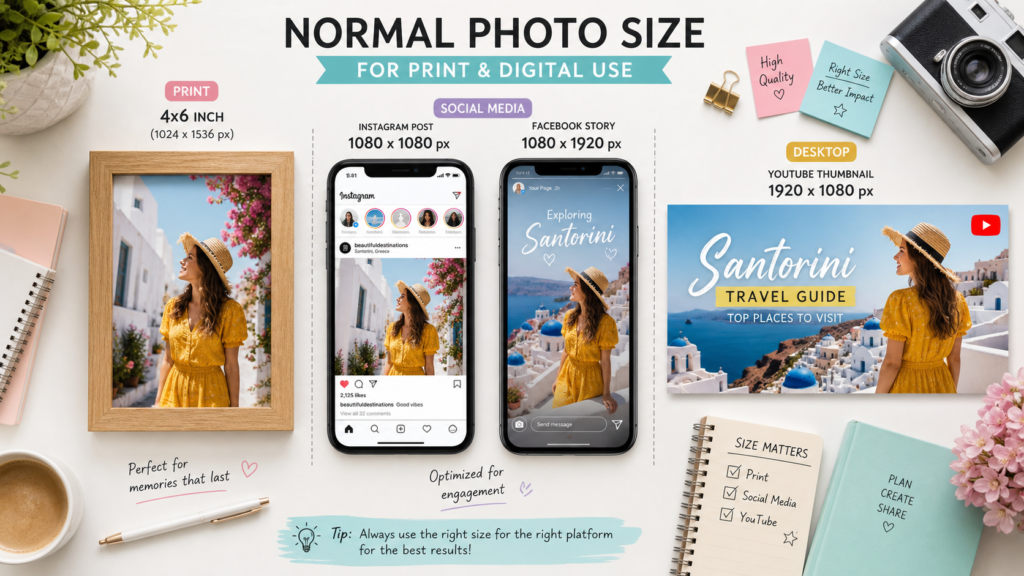
Let’s break down the most common normal photo sizes used today and when to use each one.
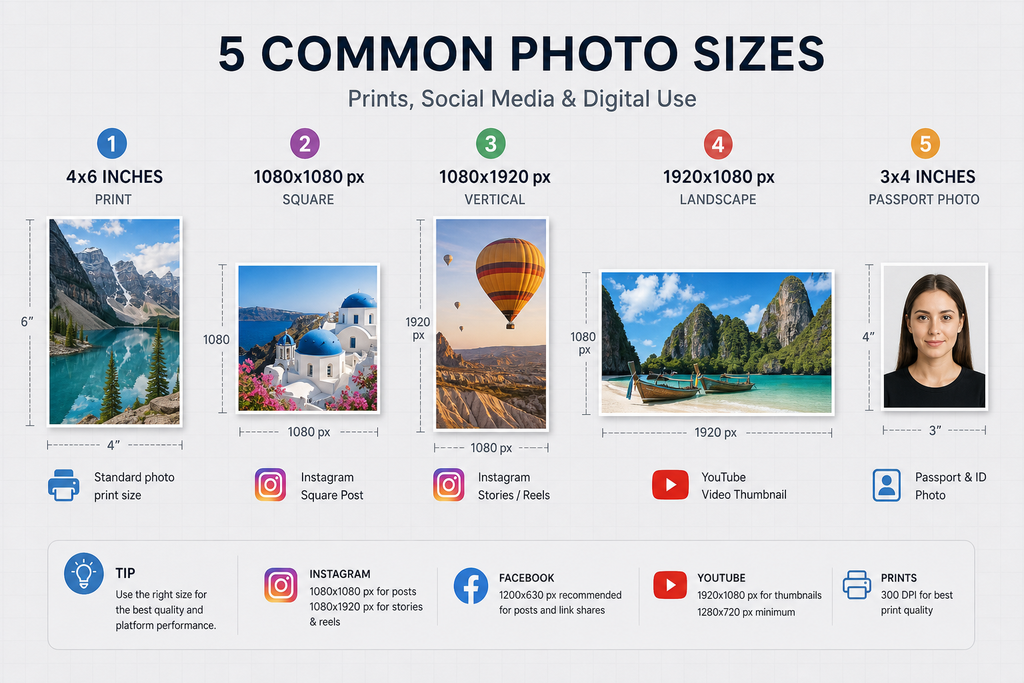
1. 4×6 Inches (Print)
- Use Case: Standard photo prints greeting cards photo albums
- Pixel Dimensions: 2048×3072 pixels (at 300 DPI)
- Why It Works: This is the most popular print size and fits perfectly in standard photo frames.
2. 1080×1920 Pixels (Digital – Full HD)
- Use Case: Instagram Stories Facebook Stories mobile banners
- Aspect Ratio: 9:16 (vertical)
- Why It Works: Matches the screen ratio of most smartphones and social media story formats.
3. 1080×1080 Pixels (Digital – Square)
- Use Case: Instagram posts, Pinterest pins Facebook cover photos (with cropping)
- Aspect Ratio: 1:1 (square)
- Why It Works: Ideal for feeds and platforms that favor square formats.
4. 1920×1080 Pixels (Digital – Landscape)
- Use Case: YouTube thumbnails, website headers desktop banners
- Aspect Ratio: 16:9 (widescreen)
- Why It Works: Fits most modern screens and video platforms.
5. 3×4 Inches (Print)
- Use Case: Passport photos, ID cards small prints
- Pixel Dimensions: 1536×2048 pixels (at 300 DPI)
- Why It Works: Meets official requirements for identification documents.
How to Choose the Right Normal Photo Size
Step 1: Identify Your Purpose
Ask yourself:
- Where will the image be used? (e.g., website, print, social media)
- What device will display it? (e.g., mobile, desktop, printer)
- Is there a specific aspect ratio required?
Step 2: Check Platform Requirements
Most platforms publish their image specifications. For example:
- Instagram Post: 1080×1080 pixels (square)
- Facebook Cover Photo: 820×312 pixels (desktop) 640×360 (mobile)
- Twitter Header: 1500×500 pixels
🔗 Need help finding specs? Visit the official help centers of Instagram, Facebook, and Twitter.
Step 3: Match the Resolution
- Web & Social Media: 72 DPI is sufficient
- Print: Use 300 DPI for high-quality prints
Step 4: Resize or Crop Accordingly
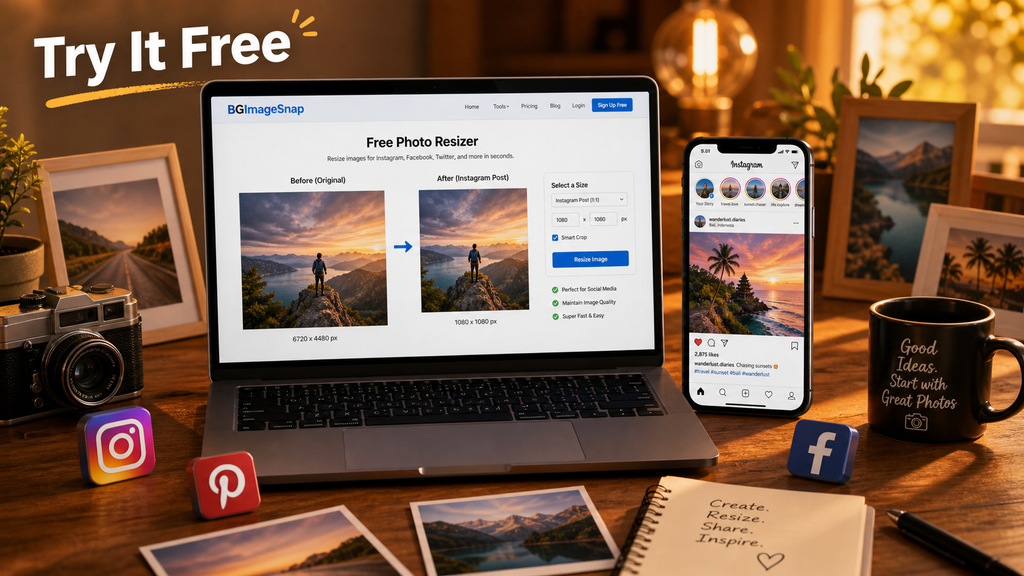
Use tools like Adobe Photoshop, Canva or BGImageSnap’s free photo resizer to adjust your images without losing quality.
Normal Photo Size for Different Platforms
Below is a quick reference table for the most popular platforms:
| Platform | Recommended Size | Aspect Ratio | Use Case |
|---|---|---|---|
| Instagram Post | 1080×1080 px | 1:1 | Feed posts |
| Instagram Story | 1080×1920 px | 9:16 | Stories |
| Facebook Post | 1200×630 px | 1.91:1 | Link shares |
| Facebook Cover | 820×312 px (desktop) | 2.6:1 | Profile header |
| Twitter Header | 1500×500 px | 3:1 | Profile header |
| YouTube Thumbnail | 1280×720 px | 16:9 | Video thumbnails |
| Pinterest Pin | 1000×1500 px | 2:3 | Vertical pins |
| Print (4×6) | 2048×3072 px @ 300 DPI | 4:6 | Photo prints |
Pros and Cons of Popular Normal Photo Sizes
1080×1080 px (Square)
Pros:
- Universally accepted on social media
- Easy to design for
- Looks great on mobile feeds
Cons:
- Not ideal for storytelling or vertical content
- May require cropping for some platforms
1080×1920 px (Vertical)
Pros:
- Perfect for stories and reels
- Fills the entire screen on mobile
- High engagement on Instagram and Snapchat
Cons:
- Wastes space on desktop
- Not suitable for print
1920×1080 px (Landscape)
Pros:
- Great for banners and thumbnails
- Works well on widescreen displays
- Ideal for YouTube and website headers
Cons:
- Too wide for mobile feeds
- May need cropping for square formats
Step-by-Step: Resizing Your Photos to Normal Photo Size
Tools You Can Use
- BGImageSnap Free, fast, and easy to use
- Canva Great for beginners with templates
- Adobe Photoshop Professional-grade control
Step 1: Open Your Image
Upload your photo into your chosen tool.
Step 2: Select the Target Size
Choose from preset sizes or manually enter dimensions.
Step 3: Resize or Crop
- Resize if you want to keep the entire image
- Crop if you need to adjust the aspect ratio
Step 4: Export with the Right Settings
- Web: JPEG, 72 DPI, max 1MB
- Print: PNG or JPEG, 300 DPI
Step 5: Test on Target Platform
Upload the image to see how it looks in the final environment.
Common Mistakes to Avoid
- Using a low-resolution image Causes pixelation and looks unprofessional.
- Ignoring aspect ratio Can stretch or crop your image unintentionally.
- Uploading oversized images Slows down websites and increases load time.
- Not checking platform requirements Leads to misaligned or truncated images.
- Forgetting to backup originals You may need to edit again later.
1. What is the most common normal photo size for printing?
The standard 4×6 inch size is the most commonly used for home printing and photo albums.
2. Is 1080px width considered normal photo size for websites?
Yes, 1080px wide is a standard width for responsive website images and banners.
3. Can I use a 1920×1080 image for Instagram posts?
It will get cropped to fit the 1:1 or 4:5 ratio, so it’s best to resize it first.
4. What’s the difference between normal photo size and resolution?
Size refers to the dimensions (width x height), while resolution refers to the number of pixels per inch (DPI or PPI).
5. How do I know if my image is high enough quality after resizing?
If the image looks sharp and clear without pixelation it’s high enough quality.
6. What file format should I use for normal photo size images?
Use JPEG for photos and PNG for images with transparency.
7. Can I use the same normal photo size for all platforms?
While you can each platform has optimal dimensions it’s best to tailor your images accordingly.
8. How can I batch resize multiple photos to normal photo size?
Tools like BGImageSnap, Canva, or Adobe Lightroom offer batch resizing features.
Conclusion
Understanding normal photo size is essential for creating visuals that look great everywhere whether you’re posting on social media printing photos or designing a website. By choosing the right dimensions and resolution for your purpose you’ll avoid distortion improve performance and present your content professionally. Remember: the “normal” size depends on your use case platform and audience. Always double-check requirements and test your images before final use.
Ready to perfect your photo sizing? Try BGImageSnap’s free photo resizing tool to quickly adjust your images to the perfect normal photo size no signup required.