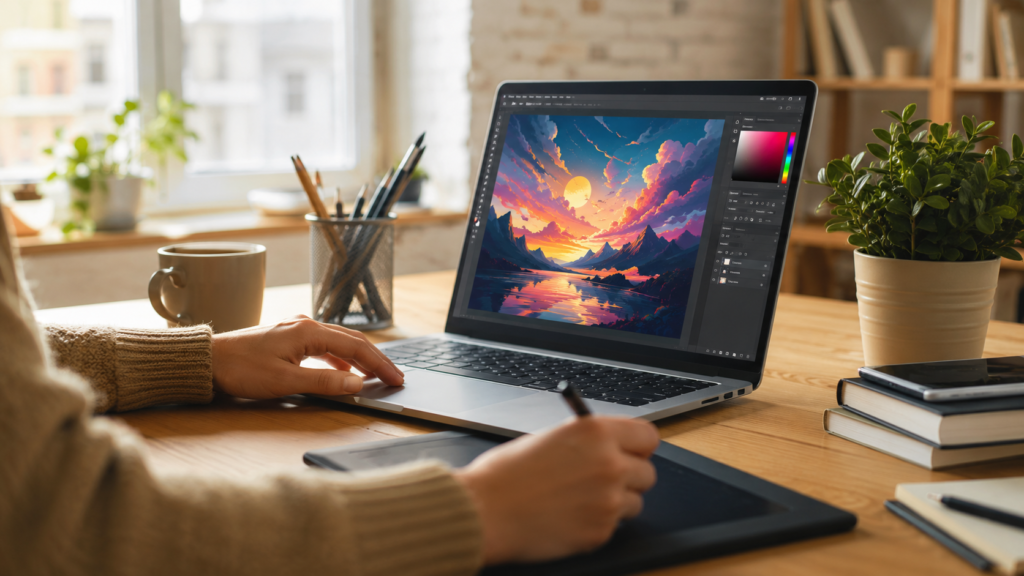
AI images have changed the way individuals and businesses produce visual content. Instead of hiring a photographer or spending hours in Photoshop anyone can now type a short description and generate a finished image in seconds. Whether you need product photos for an online store illustrations for a blog or artwork for social media AI images make the process faster and far more accessible than traditional design work.
This guide explains what AI images are how they are generated which free and paid tools are worth using and how to edit and optimize your AI images once they are created. If you run an online store or a content-heavy website you will also find practical tips on preparing AI images for real-world use including background removal and resizing for different platforms.

What Are AI Images and Why People Search for Them
AI images are pictures created by artificial intelligence models rather than a camera or a human illustrator. A user types a text prompt describing what they want to see and the AI model interprets that description and generates a matching image. The technology behind this is called text-to-image generation and it relies on models trained on massive datasets of images and their descriptions.
Most people searching for ai images fall into a few groups. Some want to understand what the technology is and how it works. Others are looking for the best tools free or paid to generate images for a specific purpose such as marketing blogging or social media. A smaller group already has AI-generated images and needs help editing, resizing, or cleaning them up before publishing. This article is written to cover all three needs in one place.
How AI Image Generation Actually Works
Understanding the basic mechanics of AI images helps you get better results even if you never look at the underlying code. Most modern image generators use a method called diffusion where the model starts with random visual noise and gradually refines it into a coherent picture that matches your text prompt.
The Role of the Text Prompt
The prompt is the instruction you give the AI model. It typically includes the subject the style the setting the lighting and sometimes the camera angle or color palette. A vague prompt like “a dog” produces a generic result while a detailed prompt like “a golden retriever sitting on a wooden porch during golden hour shallow depth of field” gives the model far more to work with and usually produces a more accurate ai image.
Training Data and Style
AI image models learn patterns from enormous collections of images paired with text captions. This is why certain models are better at photorealism while others excel at illustration, anime, or 3D-rendered styles. Knowing which model matches the style you want will save you time and reduce the number of attempts needed to get a usable ai image.
Free Tools for Creating AI Images
Free tools are a good starting point if you are experimenting with ai images for the first time or working with a limited budget. Most free plans come with daily generation limits watermarks or lower resolution output but they are more than enough for learning the basics or producing casual content.
- Bing Image Creator: Uses a version of the DALL-E model and is free with a Microsoft account making it an easy entry point for beginners.
- Leonardo AI: Offers a generous free daily token allowance and is popular for game assets, concept art, and stylized illustrations.
- Playground AI: Provides a free tier with a simple interface useful for quick social media graphics and experimentation.
- Craiyon: A lightweight browser-based option that produces lower-resolution results but requires no account setup.
- Stable Diffusion (self-hosted or via free community platforms): Open-source and highly customizable though it has a steeper learning curve for beginners.
Free tools are ideal for testing prompts learning what works and producing images for personal projects. For commercial use especially product photography or client work a paid tool usually delivers more consistent and higher-resolution results.

Paid Tools for Creating Professional AI Images
Paid ai image generators typically offer higher resolution output commercial usage rights faster generation speeds and more control over style and composition. If ai images will be part of your business, brand, or client deliverables a paid subscription is usually worth the investment.
- Midjourney: Known for highly artistic polished results and a strong community; runs through Discord or its own web app.
- OpenAI’s DALL-E (via ChatGPT Plus or the API): Strong at following detailed prompts and producing clean coherent compositions.
- Adobe Firefly: Integrated directly into Photoshop and Adobe Express which makes it convenient for designers who already edit images in Adobe tools.
- Stability AI’s paid API and DreamStudio: Gives more control over parameters like steps, guidance scale, and image dimensions.
- Canva’s AI image generator: Useful if you want to generate an image and immediately drop it into a template for social media or marketing materials.
When comparing paid plans look closely at the commercial license terms. Some subscriptions only grant personal use rights at the lowest tier while commercial rights require a higher plan. This matters if you plan to use ai images for products, advertising, or a business website.
Choosing the Right AI Image Tool for Your Needs
For E-commerce and Product Visuals
If you need ai images for product mockups, lifestyle shots, or marketing banners, prioritize tools with high-resolution output and commercial licensing. After generating the image, you will often need to remove the background so the product sits cleanly on a white or transparent background which is a common requirement for marketplaces like Amazon, Etsy, and Shopify stores.
For Blogs and Content Marketing
Bloggers usually need ai images that are fast to produce and easy to resize for featured images, social sharing, and in-article graphics. Free or mid-tier tools are often sufficient here since the goal is visual support for written content rather than a polished standalone artwork.
For Illustration and Concept Art
Artists and designers exploring ai images for concept work or illustration benefit from tools like Midjourney or Leonardo AI which offer strong stylistic control and the ability to fine-tune a consistent look across a series of images.
Editing and Optimizing Your AI Images After Generation
Generating the ai image is only the first step. Most images need some post-processing before they are ready to publish especially for e-commerce or web use. Common adjustments include cropping to the right aspect ratio compressing the file size for faster page loading and removing or replacing the background.
Removing Backgrounds from AI Images
AI-generated images often come with busy or inconsistent backgrounds that do not fit a clean product listing or a professional website. Removing the background and replacing it with a plain white or transparent one is one of the most common edits needed after generating an ai image.
This is where a free browser-based tool like BGImageSnap’s background remover becomes useful. You can upload your AI-generated image remove the background in a few seconds and download a clean transparent PNG ready for a product listing a logo or a marketing graphic — no software installation required.
Resizing and Compressing for the Web
Large AI-generated files can slow down a website if uploaded without compression. Resizing the ai image to the correct dimensions for its intended use whether that is a blog featured image a social media post or a product thumbnail keeps pages loading quickly and looking sharp on every device.
Tools such as BGImageSnap’s image resizer and compressor let you adjust dimensions and file size in the browser without losing noticeable quality which is especially helpful when you are publishing several ai images at once.
Common Mistakes When Working with AI Images
- Using vague prompts and expecting a specific detailed result — always describe subject, style, lighting, and composition.
- Ignoring commercial usage rights before publishing an ai image on a business website or product listing.
- Skipping post-processing such as background cleanup or resizing before publishing the final image.
- Uploading oversized image files that slow down page load time and hurt SEO performance.
- Relying on a single tool for every style of image instead of matching the tool to the desired output such as photorealistic versus illustrated.
Step-by-Step: Creating and Preparing an AI Image for Your Website
- Choose a tool that matches your desired style such as Midjourney for artistic results or DALL-E for precise prompt following.
- Write a detailed prompt describing the subject, setting, lighting, and style you want the ai image to have.
- Generate a few variations and select the closest match to your vision.
- Remove or clean up the background if the image will be used for a product or a transparent graphic.
- Resize the image to match the platform requirements such as a featured image size for a blog or a square format for social media.
- Compress the file before uploading it to your website to keep page speed fast.
- Add descriptive alt text to the image for accessibility and SEO.
Frequently Asked Questions About AI Images
What are AI images used for?
AI images are used for blog graphics social media content product mockups marketing materials concept art and personal creative projects. Businesses increasingly use ai images to reduce the cost and time involved in traditional photography and illustration.
Are AI images free to use commercially?
It depends on the tool and the plan you use. Many free tiers only grant personal use rights while commercial use often requires a paid subscription. Always check the specific license terms of the tool before using an ai image in a business or product context.
Which tool creates the most realistic AI images?
Photorealism varies by model and prompt but tools like Midjourney and DALL-E are widely used for their ability to produce detailed realistic-looking results when given a well-written prompt.
Can I edit an AI image after it is generated?
Yes. Most ai images benefit from post-processing such as background removal, cropping, resizing, and compression before they are published especially for e-commerce or web use.
How do I remove the background from an AI-generated image?
You can upload the image to a background removal tool and download the result with a transparent or white background in a few seconds without needing design software.
Why do some AI images look distorted or unrealistic?
Distortions often happen with complex details like hands text or overlapping objects which are historically difficult for AI models to render accurately. Using a more detailed prompt or generating multiple variations usually improves the result.
Do AI images count as original content for SEO?
Search engines generally treat properly optimized unique images as valid visual content provided they are relevant to the page and given descriptive file names and alt text. Always verify the licensing terms of the tool you used before publishing.
What is the difference between free and paid AI image tools?
Paid tools typically offer higher resolution faster generation more consistent quality commercial licensing and greater control over style and parameters. Free tools are suitable for learning, experimentation, and casual, non-commercial projects.
Conclusion
AI images have made high-quality visual content accessible to anyone regardless of design experience or budget. Whether you choose a free tool to experiment or a paid platform for professional results the key to a great ai image is a detailed prompt the right tool for your style and proper post-processing before publishing.
Once your ai image is ready finish the job with a quick edit. Try BGImageSnap’s free background remover and image resizer to get your AI-generated visuals clean properly sized and ready to publish in seconds.