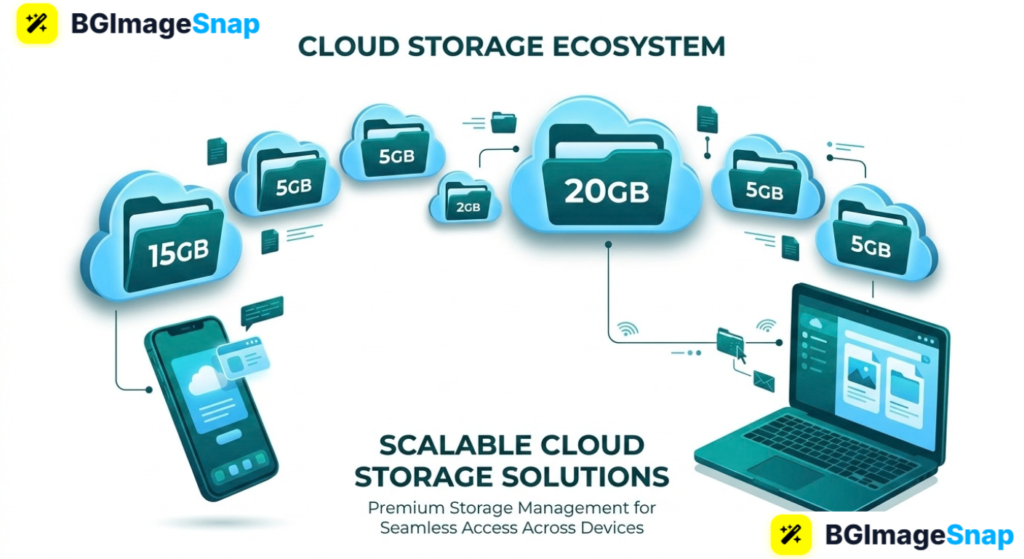
Phones fill up fast, laptops die, and USB sticks go missing usually right after a trip or a product shoot. Cloud storage free plans give you a backup folder on the internet so photos and documents stay available on any device. In this guide, you’ll see how the best cloud storage free plans work, how much space each one really gives you, and how to stretch that space with smaller image files.
Key Takeaways
- Cloud storage free plans let you save files on remote servers and open them from a phone, tablet, or computer.
- Typical free tiers range from about 2 GB to 20 GB, depending on the provider and extra bonuses.
- Google Drive, OneDrive, iCloud, Dropbox, Mega, and similar tools cover most photo and document needs.
- Compressing photos before upload is the easiest way to make a free plan last longer.
- Prep images at bgimagesnap so your cloud folders stay small and your shares look sharp.
What Are Cloud Storage Free Plans and How Do They Work?
Cloud storage free plans are no-cost accounts that hold your files on a company’s servers. You upload a photo or PDF, and a copy lives in a data center instead of only on one device.
When you open the file later, your app or browser asks the server for it. The file downloads or streams to you. If you edit a document in the cloud, the new version usually syncs so every device sees the same copy.
Free plans cap how many gigabytes you can keep. When you hit the limit, new uploads fail until you delete files, compress them, or pay. Some services also cap link sharing, file size per upload, or how long a public link stays active.
Photos eat space fastest. A single phone burst can use more storage than a year of invoices. That is why cloud storage free plans work best when you resize and compress images first, then upload the keepers.
Security still depends on you. Use a strong password and two-factor login. Treat a shared link like a public poster unless you set it to view-only or add an expiry date.
Cloud Storage Free Plans Space Features and Limits
Here is a practical breakdown of popular cloud storage free plans. Numbers can change, so confirm on each site before you migrate a whole library.
Google Drive (with a Google account)
- Typical free space: 15 GB shared with Gmail and Google Photos (depending on backup settings)
- Best for: Docs, Sheets, and mixed work files
- Photos: Original-quality backup counts against the quota; compressed backup may not
- Limits: Large video libraries fill 15 GB quickly
- Plus: Strong search and sharing with Gmail contacts
Microsoft OneDrive
- Typical free space: 5 GB
- Best for: Windows PCs and Office files
- Photos: Personal Vault and camera backup on paid tiers; free is tighter
- Limits: Smaller starter quota than Google
- Plus: Files On-Demand so you do not copy everything onto the laptop disk
Apple iCloud
- Typical free space: 5 GB
- Best for: iPhone photos, backups, and Apple devices
- Photos: iCloud Photos can consume the free 5 GB in days
- Limits: Weak if you only have Android or Windows
- Plus: Simple if your life is already on iPhone
Dropbox
- Typical free space: 2 GB (sometimes more with referral bonuses)
- Best for: Sharing folders with clients
- Photos: Fine for small sets, not whole camera rolls
- Limits: Strictest common free cap
- Plus: Clean desktop sync and professional share links
Mega
- Typical free space: often around 20 GB (watch current offer)
- Best for: Extra room when other free plans are full
- Photos: Zero-knowledge encryption on the service’s model; you must not lose the password
- Limits: Fair-use transfer caps on some free accounts
- Plus: More gigabytes than most big-name free tiers
Other options worth a look
- pCloud small free starter, paid lifetime plans later
- Box work-style sharing, modest free space
- Amazon Photos full-resolution photo backup is often bundled with Prime in some regions (not a generic file drive)
- Proton Drive privacy-focused, smaller free quota
What almost every free plan includes
- Web upload and mobile apps
- Share links (sometimes with expiry on paid only)
- JPG, PNG, PDF, DOCX, MP4, and ZIP support
- Trash or version history for a limited time
- A file-size ceiling per upload (for example 2 GB vs 10 GB+)
What free plans often block
- Team admin tools
- Long-term version history
- Huge single-file uploads
- Advanced link passwords
- Extra storage after the cap without a card
Photo-specific reality check
- 100 uncompressed 12 MP shots can be several gigabytes
- Web-sized 1920-pixel JPEGs can be 10× smaller
- Transparent logos should stay PNG; everyday photos should be compressed JPG or WebP
- Cloud storage free plans last months longer if you never upload raw dumps
Pick one “home” for documents and one for camera backup if needed. Two half-used cloud storage free plans beat one overflowing mess.
How to Use Cloud Storage Free Plans Step by Step
You can set up a clean free workflow in one evening.
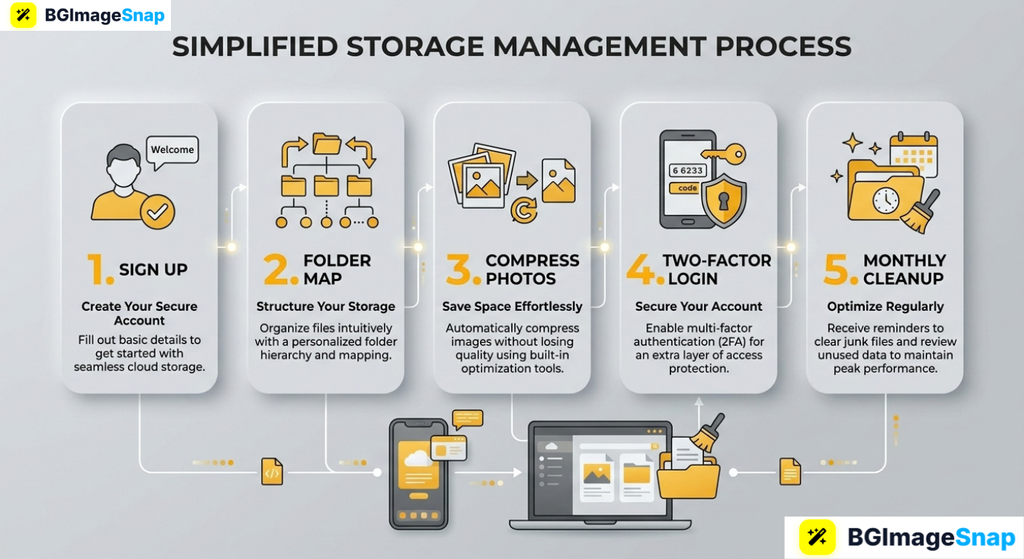
- Choose a primary plan that matches your devices. iPhone-heavy homes lean iCloud or Google. Windows and Office homes lean OneDrive. Client sharing often fits Dropbox even with only 2 GB if files are small.
- Create a simple folder map. Use
Photos/Year-Month,Invoices,IDs, andWork. Never dump everything into “Camera uploads” with no albums. - Shrink photos before the first big upload. Crop, compress, and remove messy backgrounds at bgimagesnap Then upload. This single habit is what makes cloud storage free plans usable.
- Turn on two-factor authentication and review sharing. Default links should not be “anyone with the link can edit.” Use view-only for clients.
- Set a monthly cleanup. Empty trash, delete burst duplicates, and check the quota bar. If you are at 90%, compress more or archive old years to a cheap disk.
After setup, install the mobile app only for the folders you need. Full camera backup on a 5 GB plan will fail within a week.
Who Uses Cloud Storage Free Plans? Real Use Cases
Students. Lecture PDFs, group-project slides, and phone photos of whiteboards fit in Google’s 15 GB if videos stay off the drive. Sharing a folder beats emailing 40 MB attachments.
Online sellers. Product shots, packing lists, and tax PDFs live in the cloud so packing can happen from any room. Compressed listing photos keep cloud storage free plans from filling during a busy season.
Freelancers. A designer sends a Dropbox or Drive link instead of WeTransfer every time. The free cap works when proofs are web-sized, not 40 MP originals.
Families. Vacation albums and scanned documents need a backup that survives a lost phone. Parents use Google or iCloud free tiers for the important set, not every similar sunset.
Tips to Stretch Cloud Storage Free Plans
- Never backup “original quality” of everything on a free quota. Keep heroes at high quality; compress the rest.
- Do not store WhatsApp dumps and screenshots forever. They are the silent quota killers.
- Use one naming style.
2026-04-product-red-front.jpgis searchable.IMG_8843.jpgis not. - Prefer links over duplicate copies. Five people with five copies of the same folder waste free space.
- Watch email attachments. Gmail files can count against the same Google 15 GB as Drive.
- Export a yearly archive. Download old projects to an external drive, then delete them from the cloud.
- Read the fine print on “unlimited photos.” Unlimited often means compressed or a paid bundle, not a blank check.
Frequently Asked Questions
Are cloud storage free plans really free?
Yes for the stated gigabytes, with ads, limits, or upsells. You pay with a smaller cap, not always with money.
Which free plan is best for photos?
Google’s 15 GB is the most generous among the big names if you are careful with quality settings. Mega can offer more space. iCloud’s 5 GB is tight for iPhone camera rolls.
Is it safe to store ID scans in free cloud storage?
Use a strong unique password, two-factor login, and avoid public links. For highly sensitive files, extra encryption or a paid vault is wiser.
What happens when I hit the limit?
New uploads stop. Email (on Google) can even refuse mail. Delete, compress, or upgrade.
Can I combine several cloud storage free plans?
Yes. Many people keep documents in Drive and a second Mega folder for extra photos. Just remember which plan holds the real original.
Conclusion
Cloud storage free plans are enough for documents and a curated photo set they fail when every burst, 4K clip, and duplicate screenshot stays forever. Pick a provider that fits your phone, lock the account, and upload compressed keepers. Before your next backup, visit bgimagesnap to resize, compress, and clean photos with free browser tools so that free quota lasts.