Introduction
You took a portrait. The person looks good. But the background is messy or gray. You want a clean, professional look dark, simple, powerful. A color black background portrait does that. You don’t need a studio. You don’t need expensive gear.
You just need to know how to control light. This guide shows you how.
Table of Contents
Quick Answer: What Makes a Professional Black Background Portrait?
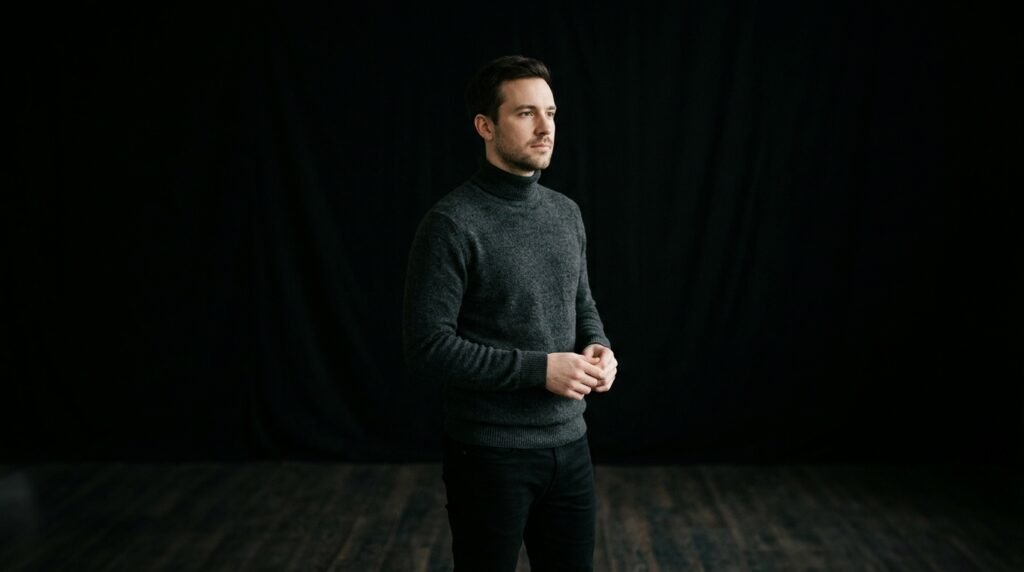
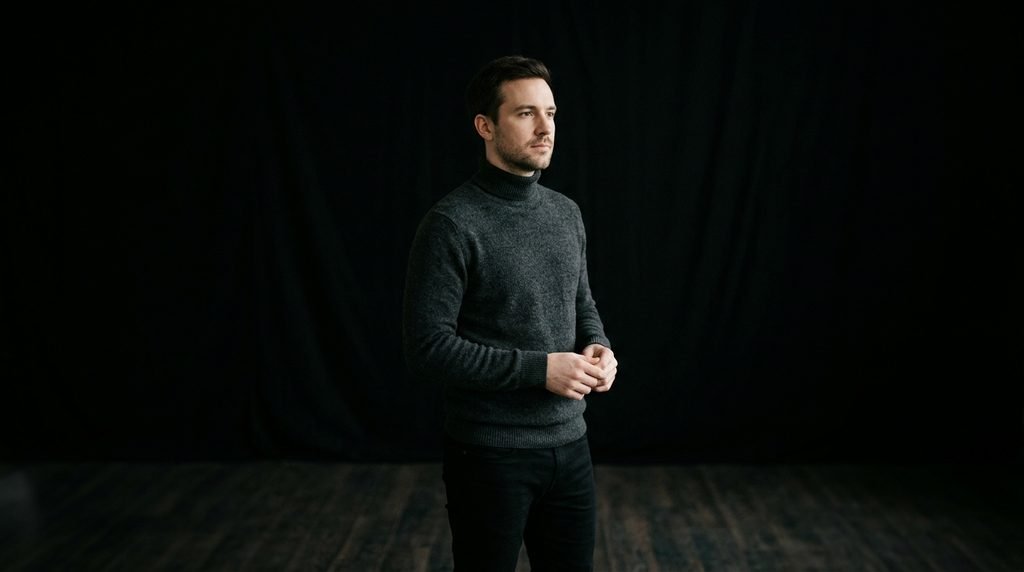
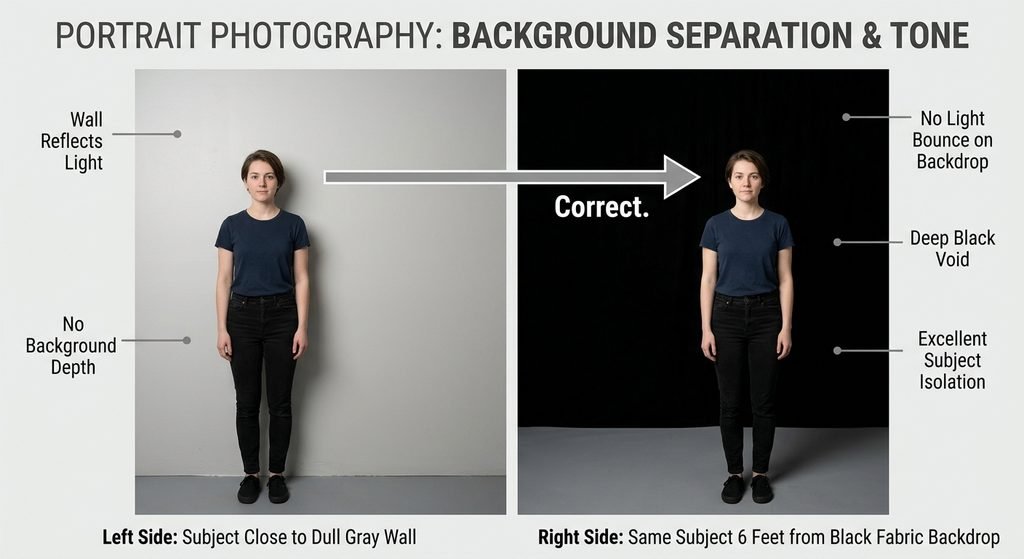
A professional black background portrait has a subject clearly separated from a dark, non-reflective background. The background looks black because no light touches it.
Key points:
- Keep the subject at least 6 feet from the background
- Light only the subject not the wall
- Use matte black fabric or paint
- Avoid flash or bright lights behind the person
Why a Black Background Works
A black background removes distractions.
It makes the subject stand out.
It adds depth and drama.
It’s used in headshots, artist portfolios, and product photos because it looks serious and polished.
How to Create a Black Background Portrait
Follow these steps.
Step 1: Pick a dark space
Use a room with little or no natural light. A closet or corner works.
Step 2: Set up a black background
Use:
- Black fabric (velvet or cotton)
- Black poster board
- A wall painted matte black
Avoid shiny surfaces. They reflect light and turn gray.
Step 3: Place the subject far from the background
Stand them at least 6 feet away. This stops light from hitting the backdrop.
Step 4: Light the subject only
Use one light source:
- A window
- A lamp with a white sheet over it
- A ring light
Point the light at their face not the wall. Side lighting works best.
Step 5: Take the photo
Use your phone or camera.
Set it to portrait mode.
Turn off flash.
Use a tripod or rest the phone on a stack of books.
Step 6: Check the background
Look at the photo. If it’s gray, move the subject farther back or dim the light.
What You Really Need
You don’t need much.
| Item | Use | Cheap Alternative |
|---|---|---|
| Black background | Absorb light | Black curtain, black shirt, cardboard |
| Light source | Shine on face | Window, desk lamp, phone flashlight |
| Tripod | Keep camera steady | Stack of books |
| Remote shutter | Avoid blur | Use timer on your phone |
A $10 black curtain works better than a $100 studio kit.
Common Mistakes
Avoid these:
- Subject too close to the wall → Background turns gray
- Using glossy black material → Reflects light
- Lighting the wall by accident → Turn off lamps and windows behind the subject
- Using auto mode → Camera brightens the background
- Editing too much → Pushing shadows too far brings back gray
How to Fix a Gray Background in Post
If the background is still a little gray, fix it in editing.
On your phone (Snapseed, Canva):
- Open the photo
- Use “Shadows” or “Brightness” to lower it
- Use “Contrast” to make dark areas darker
- Save as PNG
On a computer (Lightroom, Photopea):
- Lower “Shadows” and “Blacks”
- Use the brush tool to paint over gray spots
- Don’t overdo it keep it natural
Black Background vs White Background
| Use Case | Black Background | White Background |
|---|---|---|
| Headshot for work | ✅ Better | ❌ Too plain |
| Artist portfolio | ✅ Dramatic | ❌ Too flat |
| Product photo | ✅ Clean | ✅ Also good |
| Family portrait | ✅ Elegant | ✅ Warm and bright |
| Social media | ✅ Stands out | ✅ Neutral |
Use black for mood. Use white for clarity.
FAQ
Can I use a black wall?
Yes — if it’s matte paint. Glossy or textured walls reflect light.
Do I need a studio light?
No. A window or lamp works fine.
Why is my background purple or green?
Your white balance is off. Set it to daylight or adjust color in editing.
Can I use my phone?
Yes. Use portrait mode. Keep the subject far from the wall. Edit shadows if needed.
Is black better for dark skin tones?
Yes. It makes skin look richer and more detailed.
What if my subject has dark hair?
Keep them 6 feet from the wall. Add a small rim light behind them to separate hair from the background.
Can I use a black blanket?
Only if it’s thick and not shiny. Thin fabric lets light through.
Conclusion
A black background portrait is not about darkness.
It’s about focus. It removes everything that doesn’t matter.
It lets the person shine. You don’t need a studio.
You don’t need a team.You just need to control the light.
Do that, and your photos will look professional no matter where you shoot.
Ready to Improve Your Portrait?
You have the photo.
Now make the background perfect.
At BGImageSnap, we help you remove gray tones, deepen shadows, and clean up portraits fast and free.
Upload your image.
Let our tool fix the background.
Download your clean, professional portrait.
No signup. No download. No cost.